Loading Custom TTF Font from Resources
Make a TTF the default ImGui font
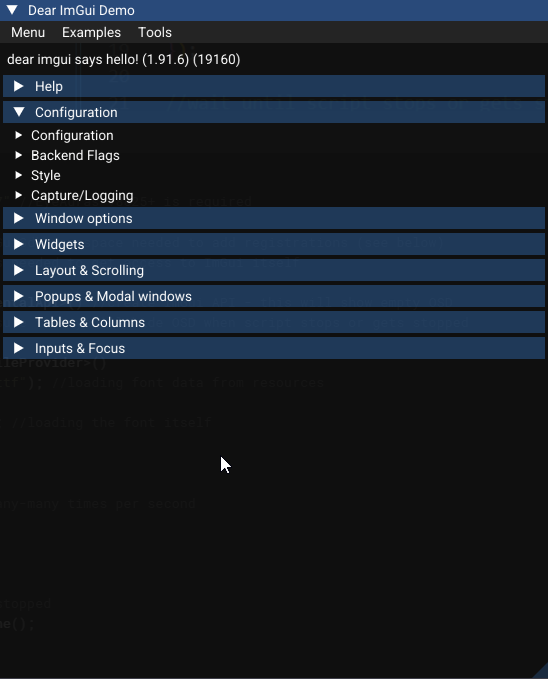
Load an embedded TTF and make it the default font through IImGuiExperimentalApi. The demo window then uses the selected font.
Prepare the font and SDK
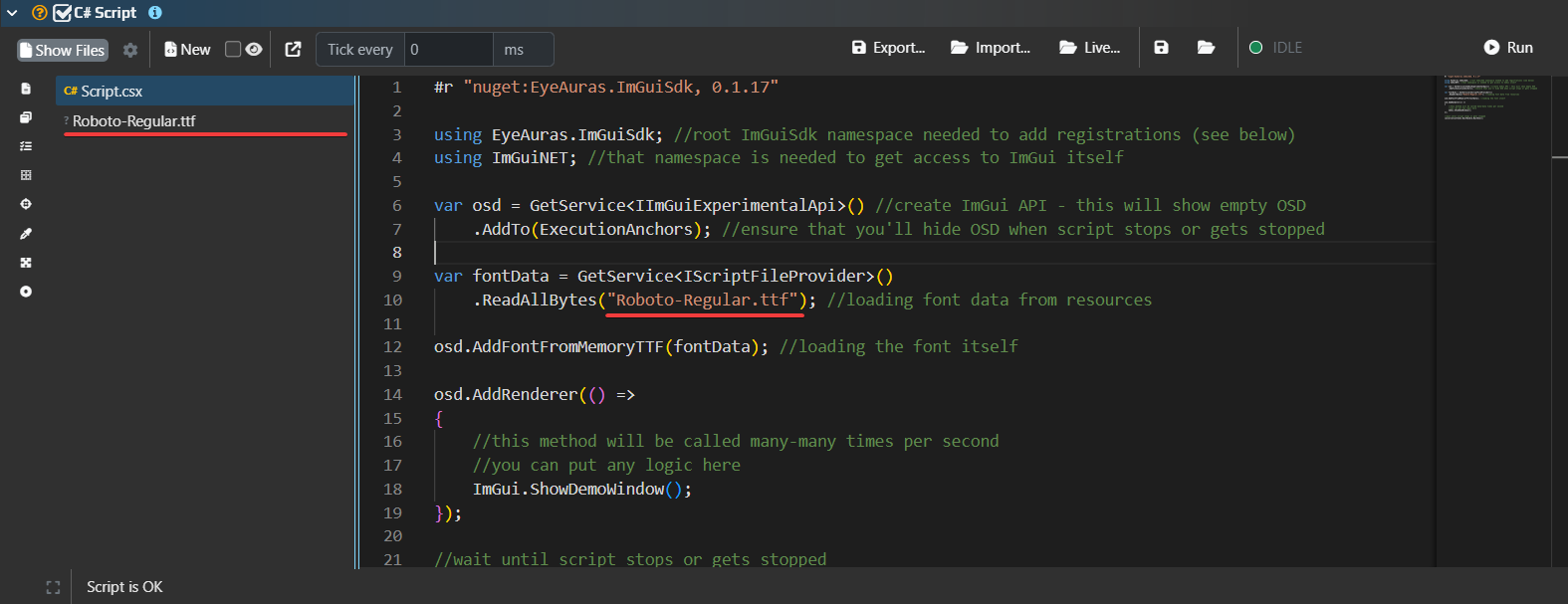
Add your Roboto-Regular.ttf as an embedded resource in the C# script project. Use a real TTF containing the required glyphs; its filename does not establish Cyrillic coverage. Set fontPath to the full manifest name: MyScript.Roboto-Regular.ttf for a root file or MyScript.Fonts.Roboto-Regular.ttf for the Fonts folder. Script preparation lists actual names in the debug log. Do not assume a short filename matches any resource.
The historical import used:
#r "nuget:EyeAuras.ImGuiSdk, 0.1.17"
Package 0.1.17 exposes the old AddFontFromMemoryTTF and does not support the code below. Use 0.1.42 for AddFont, ReplaceFont(ImGuiFontSpec) and RemoveFont; these members are present in its published XML from the EyeAuras feed. Replace the historical project reference:
#r "nuget:EyeAuras.ImGuiSdk, 0.1.42"
The lifetime explanation follows source c8b2304ac. Package members alone do not establish native renderer compatibility with every application build. See the SDK map for version boundaries.
Script.csx
Keep one selected EyeAuras.ImGuiSdk reference in the project. Run this in the EyeAuras script host, where AddNewExtension, GetService and cancellationToken are available:
using EyeAuras.ImGuiSdk;
using EyeAuras.Repl;
using ImGuiNET;
using PoeShared.Scaffolding;

{
    AddNewExtension<ImGuiContainerExtensions>();

    var files = GetService<IScriptFileProvider>();
    var fontPath = "MyScript.Roboto-Regular.ttf"; // full manifest name of your resource
    var fontData = files.ReadAllBytes(fontPath);
    using var osd = GetService<IImGuiExperimentalApi>();
    ImGuiFontSpec font = default;

    using var rendering = osd.AddRenderer(() =>
    {
        // Register and use the font on the render thread.
        if (!font.IsInitialized)
        {
            font = osd.AddFont(fontData, 20, "Roboto", ImGuiFontRangeType.Cyrillic);
            osd.ReplaceFont(font);
        }

        ImGui.ShowDemoWindow();
    });

    // Keep the script alive until Stop.
    cancellationToken.WaitHandle.WaitOne();
}
Font readiness and ownership
AddFont copies the bytes and returns an ImGuiFontSpec, not a ready native ImFontPtr. It marks the atlas dirty; rebuilding happens after frame callbacks, so the first frame may still use the old font. IsInitialized means a specification was registered, not that the native atlas is ready.
ReplaceFont(font) changes the default in the shared Main atlas and can affect other scripts. Use paired PushFont/PopFont for local selection without also making that specification the default.
AddFont defaults to size 16 and ImGuiFontRangeType.Default. This example explicitly requests Cyrillic; a glyph range cannot add characters absent from the TTF. Exact glyph ranges and parsing depend on the native library.
The Run owns its frame subscription and API instance. Stop removes the subscription before releasing this share of the overlay. It does not close other owners' windows or automatically remove your font registration. RemoveFont removes the specification and resets the default if necessary, but the source implementation intentionally retains the original native buffer. Do not register a font every frame or treat repeated loading as an unlimited font-switching loop.
Font-loading methods have no cancellation-token parameter. Here the token keeps the script alive until Stop; it does not cancel native font loading. Check TTF, SDK and renderer compatibility in your installed version.