Public alpha. You can already use it, but the quality of replies, memory, and the bot’s behavior rules are still being improved.
¶ What it is
EyeAuras Bot is a public Discord bot you can message for help with EyeAuras.
It is trained to navigate the app, knows the wiki, can help with scripts, settings, and changelogs, and is already useful as a “first helper” when you want a quick answer directly in Discord.
If the bot gets confused or replies too vaguely, it’s best to report that right away. It is still in an early stage and will continue to improve actively.
¶ Quick start
If you want the most useful answers from the bot, it’s best to:
- ask one specific question at a time
- say right away what exactly you want to do in EyeAuras
- include the build, feature name, aura, trigger, or window name when possible
- in a public channel, tag the bot and ask the question in the same message
- if the question is about a previous conversation, reply to the relevant message
- if you need an article, explicitly ask
give me a wiki link
Good examples:
@EyeAuras Bot how do I get the coordinates of a found image?
@EyeAuras Bot why does my AI profile show Unavailable?
@EyeAuras Bot here is a piece of Script.csx, why doesn't Log work here?
The more specific your question is, the more likely the bot is to jump into the right context immediately instead of falling back to generic “C# advice”.
¶ Where and how to talk to it
¶ Direct messages
In DMs, you can talk to the bot like a normal personal assistant. No tag is needed.
This is the most convenient mode if you want to:
- ask a series of follow-up questions
- send code snippets, screenshots, and errors
- avoid cluttering a public channel
- discuss something only between you and the bot
¶ Public channels
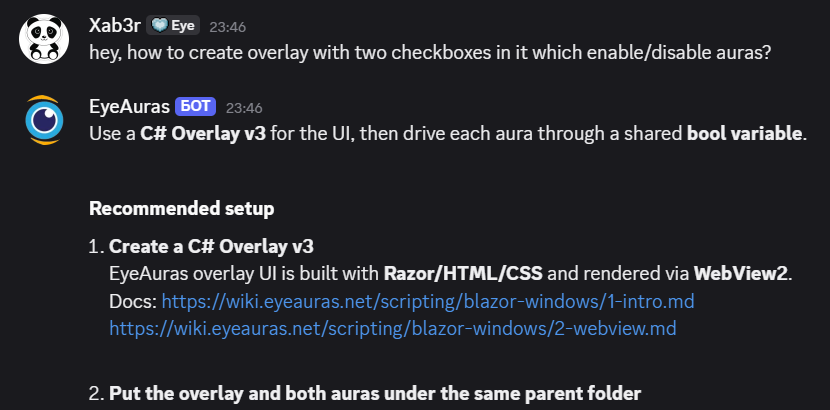
In public channels, the bot replies only if you explicitly tag it.
The best working pattern is:
- write a message
- mention
EyeAuras Bot - ask the question in that same message
If your question refers to a previous message in chat, you can:
- reply to the relevant message
- tag the bot
- briefly clarify what exactly you want from it
Sometimes even a simple tag without text can work as a follow-up, because the bot can look at the recent context in the same channel. But in active channels it’s better not to rely on that and to write the question explicitly.
¶ What it can already do
Right now, the bot is especially useful for tasks like:
- explaining where a specific setting is located in EyeAuras
- pointing you to the right wiki article for your case
- helping with basic scripting questions
- reminding you what changed in a specific build
- giving a more EyeAuras-specific answer instead of generic “.NET in general” advice
If your question is related to scripting, the bot is especially useful when you ask about:
- EyeAuras API
Script.csxAuraTree- searching for images, text, and coordinates
- sending input
- packs, mini-app, and related scenarios
But it’s important to keep one limitation in mind:
- the bot can explain things, suggest an example, and point you to the documentation
- the bot cannot actually run your code, build a project, or verify the result directly from Discord
¶ Access and privacy
This is one of the most important topics.
¶ What happens in DMs
Your direct messages with the bot are not shared with other users. If you message the bot in DM:
- you have a separate private context
- that context is not mixed with anyone else’s DMs
- the bot knows only your conversation with it
In simple terms: in DMs, the bot knows about you and your chat with it, not other people’s private conversations.
¶ What happens in public channels
In public channels, the bot does not know “all of Discord”. It only knows what belongs to the specific channel or thread where you contacted it.
That means:
- the bot can use recent context from the same channel to understand a tag or a short follow-up
- other people’s DMs are not part of that context
- private channels the bot cannot see simply do not exist for it
So the basic model is very simple:
- in DMs, the bot knows your personal conversation with it
- in a public channel, the bot knows what was written in that channel
¶ What to keep in mind while it’s in alpha
- replies still depend heavily on the quality of the wiki
- sometimes the bot may be too general or miss the context you need
- it works best on specific questions with details
- if the bot is wrong, it is very helpful to tell it exactly what is incorrect, or immediately ask for a wiki link or an example
In short, the best way to talk to it is like this:
- not
help me with everything - but
here is the task, here is the build, here is what I already tried, and here is exactly where I got stuck