1.9.9339
March - Big Alpha
Big Alpha — 1.9.9339 RU/EN
Transition to the new UI, a major sublicenses rework, EyePad, mini-app workflows, and the first steps toward tight AI integration directly inside EyeAuras.
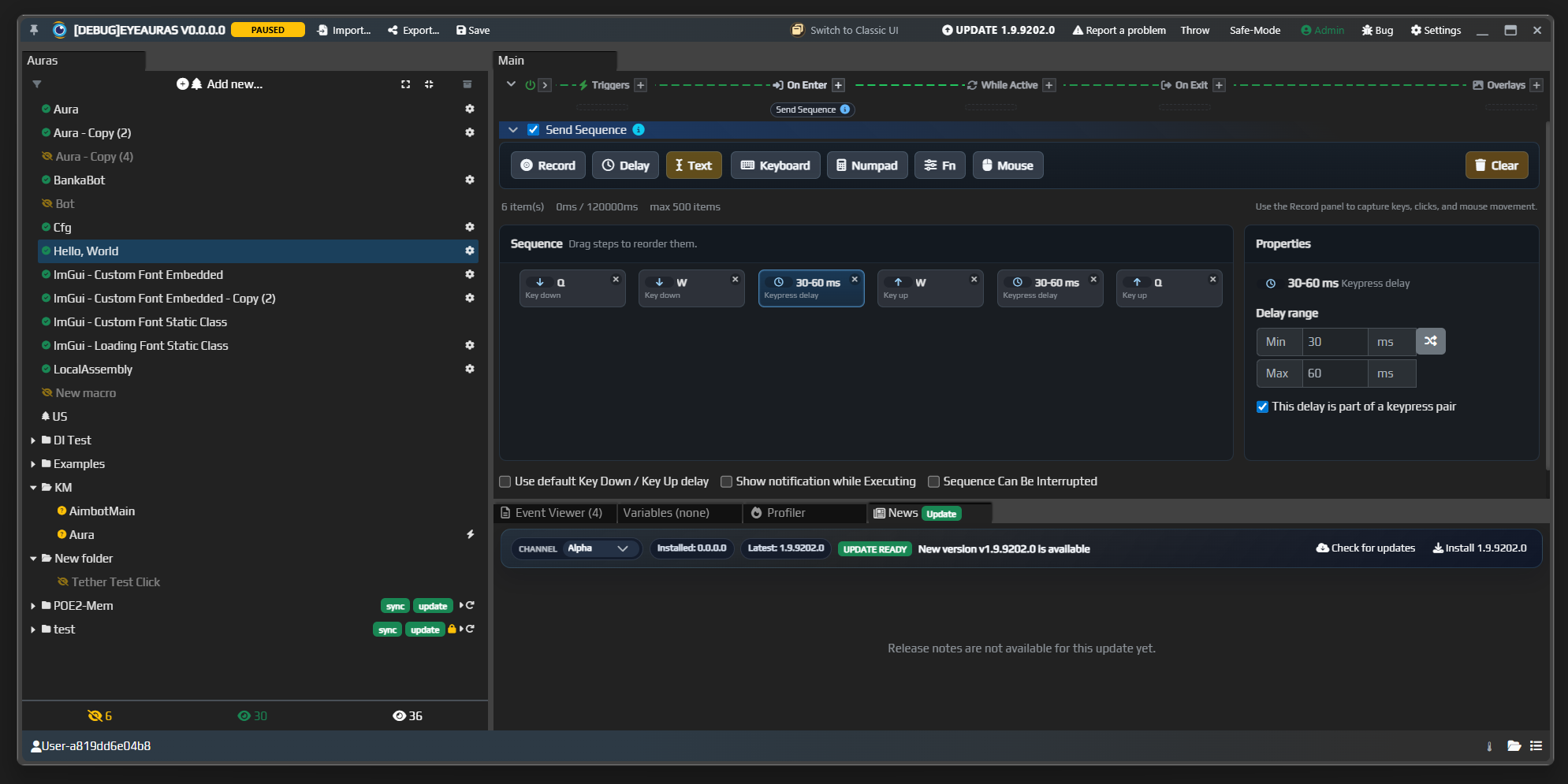
New UI — alpha
The moment I have been preparing for over the last two years is finally here: the transition from WPF to Blazor.
The UI for all triggers, actions, and overlays has been rewritten. To switch to the new interface, you can either use the button in the window header or enable New Shell in settings.
For the next few months, it will still be possible to switch between the old shell and the new one, but eventually only the new one will remain. I will do my best to make it better than the old one in every possible way.

What to expect:
- significantly faster startup times; in my tests, load time dropped on average from 30 seconds on a config with 50 auras down to 20 seconds. It should improve even more once the old shell code can be removed
- a more responsive UI, especially when switching between auras
- tabs: the ability to open multiple aura tabs at once; I plan to enable this a couple of weeks after the first wave of bugfixes
- captured image preview in
*Searchnodes inside behavior trees; we will test that code in the good old triggers first, and then the same preview and related functionality, such as effects, will move into behavior trees and macros as well - bugs :) But we will deal with them
Sublicenses completely reworked
First, a quick reminder of what sublicenses are. Sublicenses are licenses issued by authors of packs and mini-apps that do something useful. It can be a clicker, a fishing bot, a tool, or anything else. The idea is that you can build such a mini-app and start distributing keys for it however you like.
With the current EyeAuras capabilities, the level of customization is already extremely deep. In practice, you can build a new program where automation, licensing, protection, updates, and similar infrastructure are already there by default.
EyePad
In parallel with scripting improvements, I am continuing to develop EyePad — a special EyeAuras launch mode focused on code, execution, pack import, and working with .sln files through Live Import.
In practice, EyePad is a working shell for the flow "write code and run it immediately":
- you can quickly open a single
.csxor.csfile - you can open a
.slnand work through an IDE - you can import an existing pack, modify it, and export it again
- each tab is isolated from the others and lives inside its own virtual space
This is no longer just "a script editor inside EyeAuras." It is a separate workflow for people who want to stay closer to code and switch faster between development and execution.
Mini-apps
Mini-apps are the next level. Here EyeAuras is used not just as a host for a script, but as the foundation for something very close to a standalone application.
The idea is that you:
- build your own UI
- control launch behavior through arguments and pack config
- hide most of the standard EyeAuras UI when needed
- ship a product that, from the user’s point of view, can feel like a separate application
This is where packaging, script protection, custom login, sublicenses, and the full distribution story for your own tool or mini-app fit together really well.
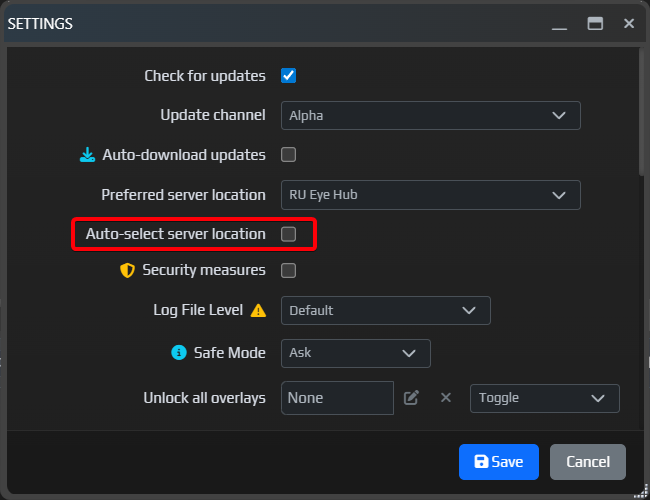
Automatic server selection (mostly for RU users)
The connectivity situation for users in Russia is not getting better, only worse, so I added a new setting that should make life easier. Automatic server selection tries to find the nearest available hub. Right now there are two of them: one in Saint Petersburg and one in Frankfurt. If needed, I can add more later — there is already hardware in Helsinki and Vladivostok.
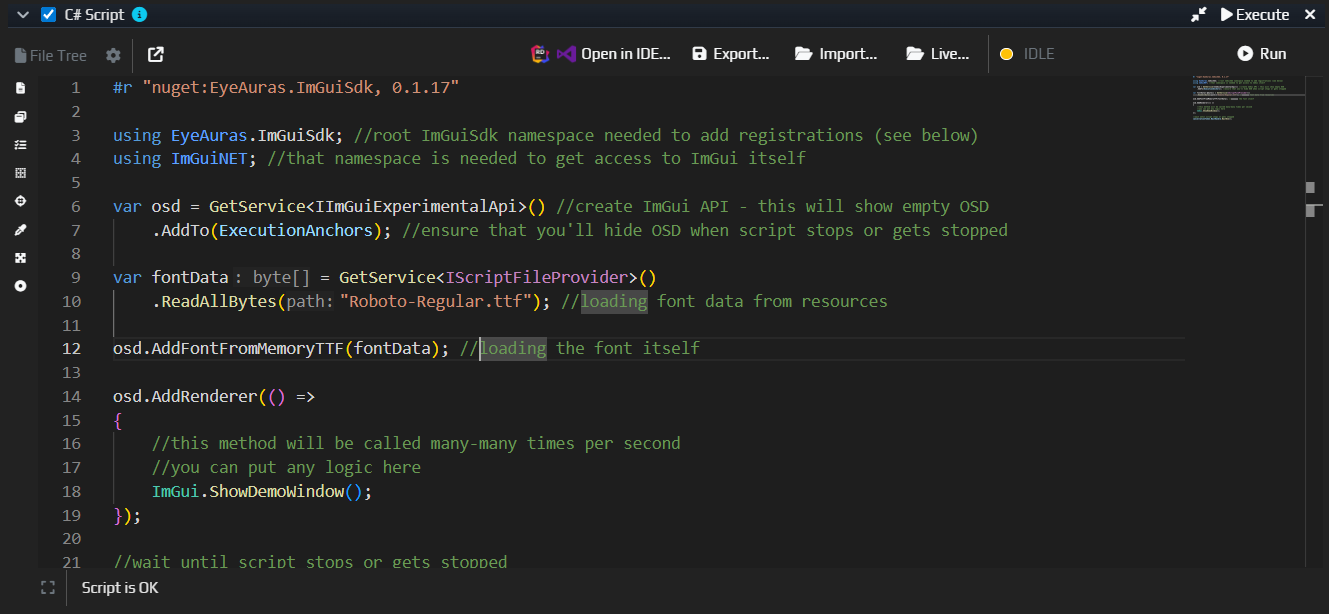
Code editor improvements
The editor now has smarter highlighting, InlayHints, better signature help, and navigation to the selected symbol (CTRL + click / F12). There is also ILSpy integration now, which makes it much easier to inspect external types and assemblies directly from the editor.
Compilation is also faster — around 30-40% on larger scripts, and around 0-5% on small ones (one file, 200-300 lines). Overall the editor should feel more responsive now; it was very constrained inside the old shell.
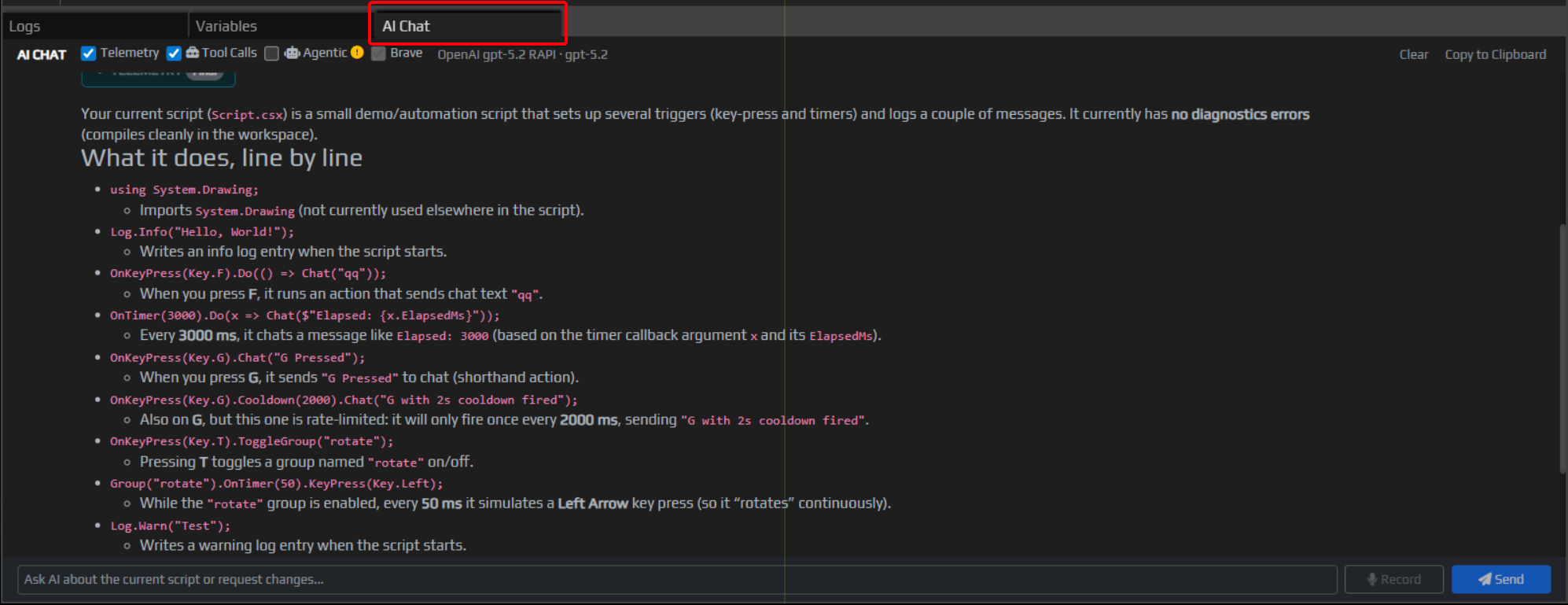
Coming Soon
Below is a small teaser of where the next layer of tooling around scripting, EyePad, and mini-app workflows is heading.
The screenshot shows the AI Chat tab. This is part of the idea of tight in-app AI integration directly inside EyeAuras. The goal is to make AI available not somewhere "next to the app in a browser tab," but inside the program itself:
- to accelerate writing scripts
- to help with auras and other automation elements
- as a reference for the API and available features
- as an assistant that shortens the path from idea to working result
- and, just as importantly, the same layer will be available to mini-app authors as well — meaning it should become possible to build your own product where AI is already included by default with very little extra effort
Some of this already exists in alpha, some parts are still being polished, but the overall direction is clear: make it possible to develop scripts and auras with dense AI support, and eventually build mini-apps where AI is simply part of the product out of the box. I think that is the future.
Bugfixes/Improvements
- [Licensing] The entire licenses/sublicenses system was heavily reworked, and
Semi-Offlineis now the default mode. Very briefly: it is a way to survive temporary disconnects, restarts, and crashes without instantly losing access — more here... - [Auth] Fixed a key-login issue that could break sublicense state in some cases (
PK_SublicenseStates) - [Scripting] Fixed a virtualization problem where some script files could appear twice
- [Scripting] Fixed a bug in
ScriptEmbeddedResourceFileProvider - [Scripting] Improved
Embedded ResourcesandStaticWebAssetssupport for NuGet packages — especially useful for UI components and packages that bring their own web assets - [Packing] Improved packing of compiled scripts — dependencies coming from
NuGetandpackage referencesshould now make it into packed builds more reliably - [SendInput] Fixed a rare deadlock in
SendInputControllerthat could show up inCtrl+Vscenarios