Early alpha feature. Already very useful, but some parts are still being polished.
¶ What is EyePad
EyePad is a special launch mode of EyeAuras optimized for scripts, projects, and mini-apps.
Technically, it is still the same EyeAuras.exe, just launched with:
--pad
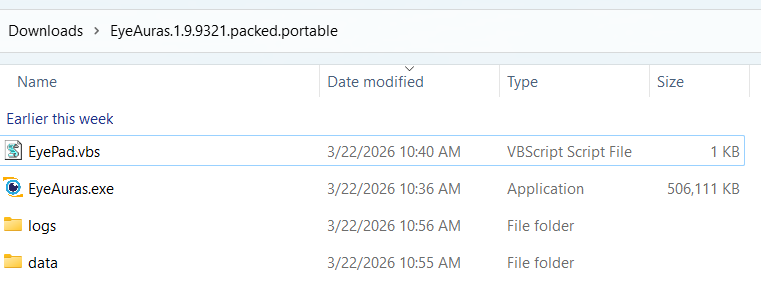
In the portable version, there is usually a file called EyePad.vbs next to the executable. It simply runs:
EyeAuras.exe --pad
So EyePad is not a separate application. It is a dedicated operating mode of EyeAuras.
¶ Why it exists
The normal EyeAuras UI is great for working with auras, macros, behavior trees, and general app configuration.
EyePad exists for different workflows:
- quickly open and run a single C# script
- open a
.slnand work through Live Import - import a pack, modify it, tune it, and export it again
- use EyeAuras as a runtime for your mini-app
- launch the target script immediately when the program starts
In practice, EyePad is a bridge between "I am writing code" and "I am running a product built on top of EyeAuras."
¶ What EyePad can open
EyePad is not limited to one format. In practice, it can open:
.csxand.csfor regular C# scripts.slnfor full solutions used with IDEs and Live Import.dllfor compiled assemblies.jsonfor EyeAuras aura/script configs
That makes EyePad suitable both for quick experiments and for larger projects.
¶ Importing and editing packs
EyePad can do more than open local files. It can also work with existing packs.
A typical workflow looks like this:
- import a pack
- EyePad loads its contents into a temporary working area
- you modify scripts, auras, or settings
- if needed, you adjust launch behavior and packaging
- then you export or publish the result again
This is useful when you want to patch an existing pack quickly without moving the whole workflow into the regular EyeAuras UI.
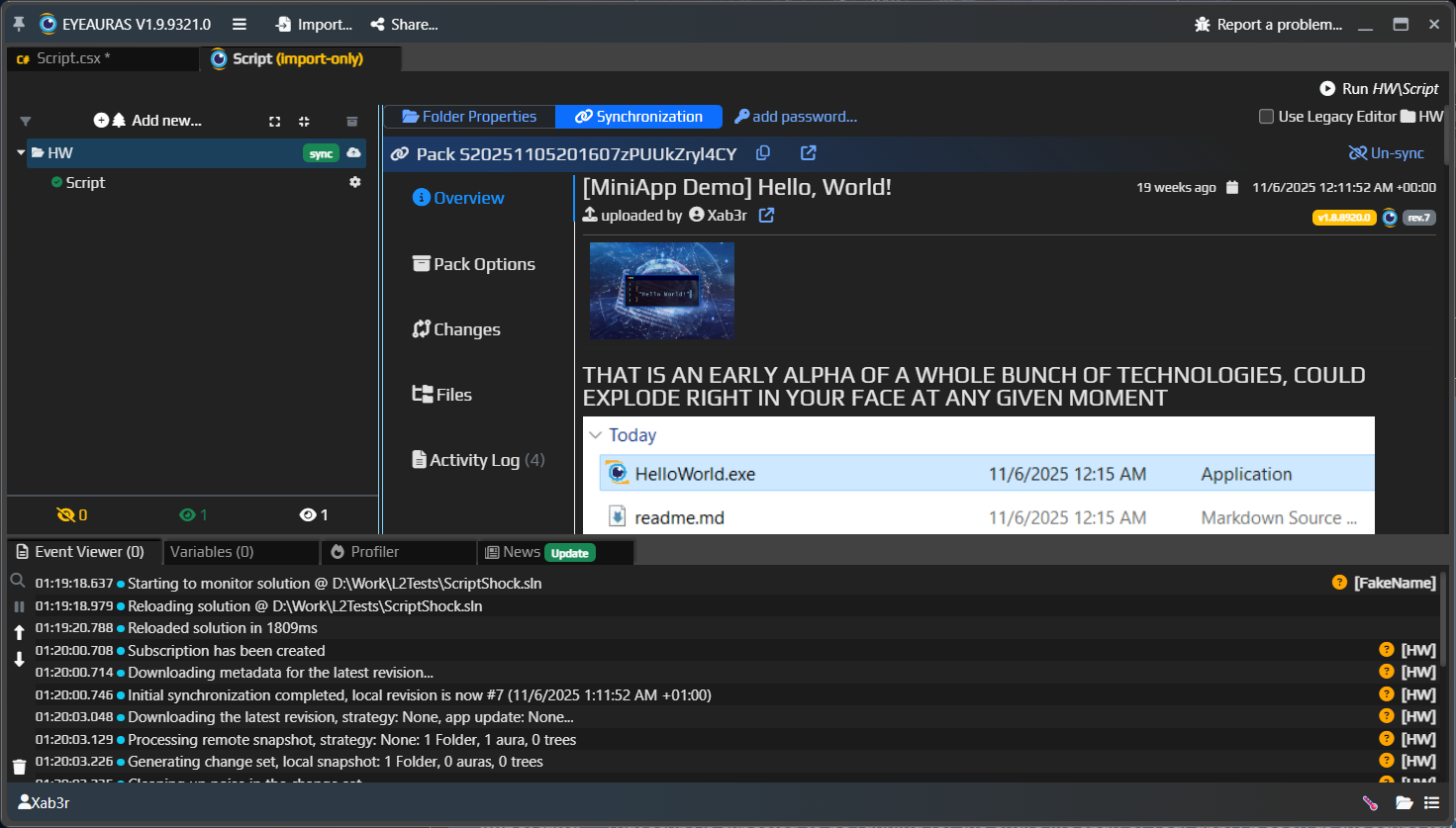
Here is what an imported pack looks like inside EyePad:
¶ What EyePad looks like
This is EyePad in a single-script workflow:
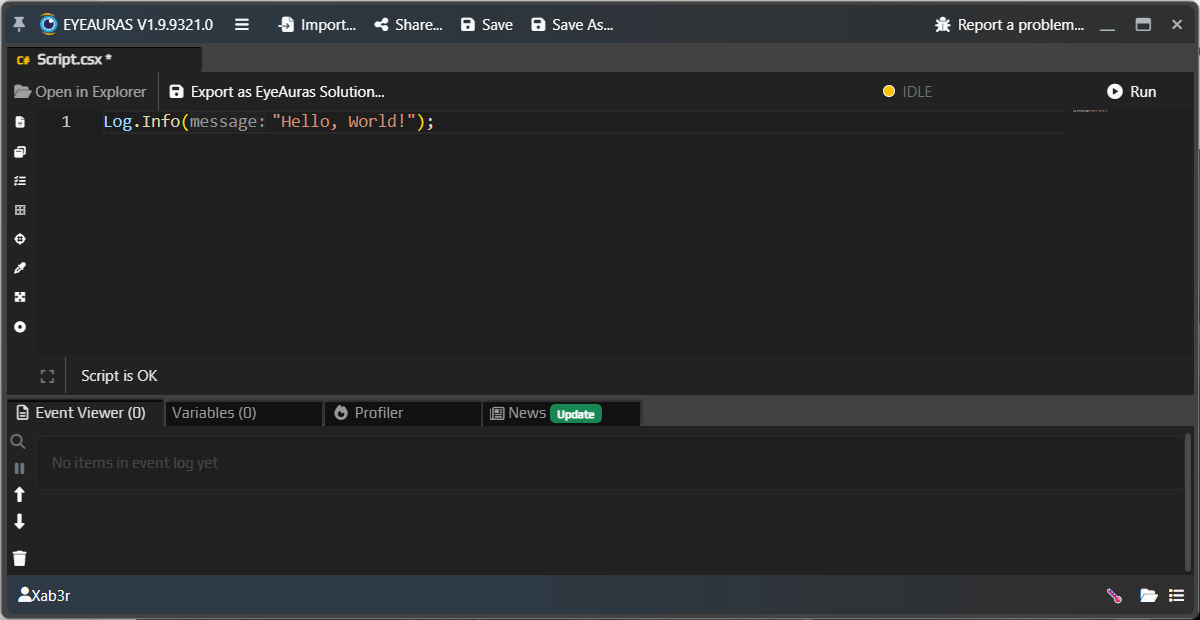
This is no longer "an aura tree with many windows." It is a much more direct interface focused on code, launching, and importing projects.
¶ Two main workflows
¶ 1. A single script
This is the simplest option:
- start EyePad
- open a
.csor.csx - edit
- run
This is extremely convenient for small tools, prototypes, utilities, simple mini-apps, and quick experiments.
This mode works especially well with ImGui if you want to build a small custom UI directly in a single script.
¶ 2. A solution from an IDE
Once the project grows, you can open a .sln.
In that case EyePad becomes a runtime shell for your project:
- code lives in Rider / Visual Studio
- changes are pulled in through Live Import
- launching and runtime behavior are still controlled by EyeAuras
That is why EyePad works especially well for more serious mini-apps that already have multiple files, their own UI, resources, and external libraries.
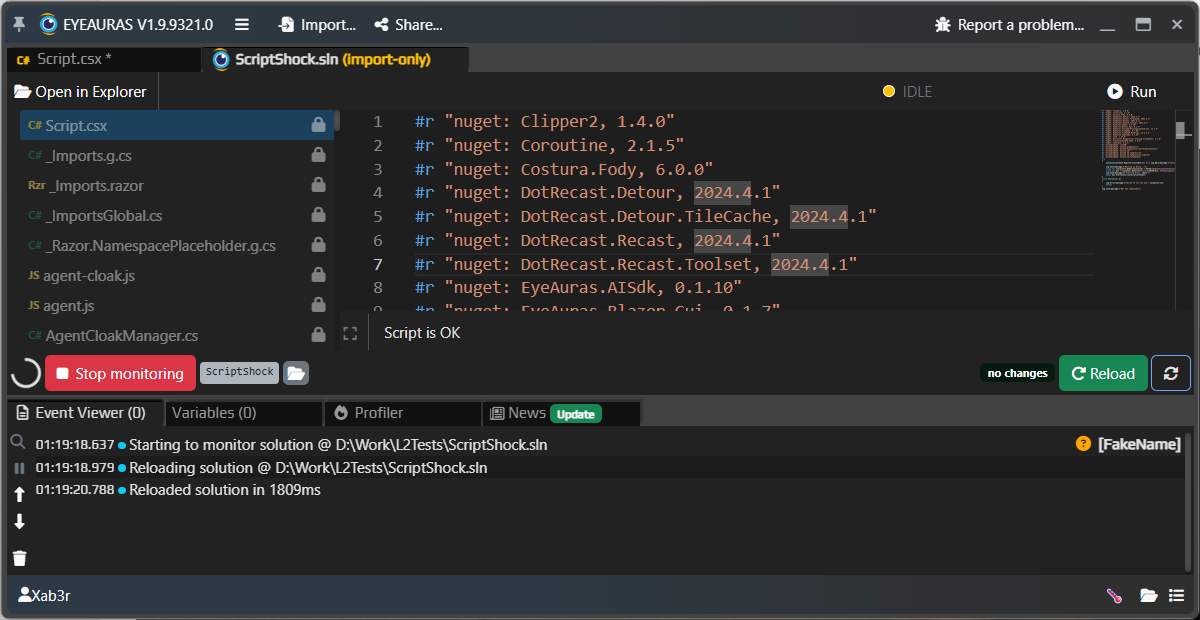
This is what EyePad looks like with a .sln open and Live Import running:
Short version:
- for small projects, one
.csxis often enough - for larger projects, opening a
.slnand working through an IDE is usually better
¶ What is happening under the hood
EyePad does not invent a separate scripting engine. It uses the same runtime as regular EyeAuras scripts:
- C# and Roslyn
- NuGet dependencies
- Embedded Resources
- Blazor Windows
- ImGui
.slnexport/import and Live Import
So EyePad is not a "simplified mode." It is a more convenient shell for the workflow "write code and run it immediately."
¶ Tab virtualization
Another important technical feature of EyePad is virtualization.
Each separate tab in EyePad is effectively a small isolated EyeAuras:
- it has its own virtual space
- it has its own loaded auras, scripts, and state
- neighboring tabs do not intersect with each other
This is another major difference from regular EyeAuras.
In regular EyeAuras:
- all auras live in one shared space
- they can see each other
- they can refer to each other directly
In EyePad:
- each tab is isolated
- what you open in one tab does not leak into another
- you can safely keep multiple projects, packs, or experimental scripts side by side
¶ How to start EyePad
¶ Manually
If you just want to try it:
EyeAuras.exe --pad
¶ Directly with a file
You can also pass an input file right away:
EyeAuras.exe --pad "config\auras\HW\Script.json"
or
EyeAuras.exe --pad "D:\Projects\MyTool\MyTool.sln"
or
EyeAuras.exe --pad "D:\Projects\MyTool\Script.csx"
If a file is provided, EyePad will try to open it immediately on startup.
If you open a .sln, EyePad works as a runtime for the project. If you open a single target script or a script config, that is already very close to a mini-app scenario.
¶ How EyePad differs from regular EyeAuras
The biggest difference is not the engine, but how you use it.
Regular EyeAuras:
- is optimized for visual work with auras, macros, and behavior trees
- assumes the user interacts with the EyeAuras UI directly
- revolves around its own persistent config that stores the working aura tree
EyePad:
- is optimized for code, launch flows, imported projects, and mini-app scenarios
- can be both a developer tool and a runtime mode for end users
- does not keep its own persistent aura config
- isolates tabs from each other through virtualization
EyePad is not trying to replace Rider or Visual Studio. On the contrary, it works very well together with them:
- small things can be written directly inside EyePad
- larger projects are usually better maintained in an IDE and launched through EyePad
¶ What that means in practice
This is one of the key differences between EyeAuras and EyePad.
In normal EyeAuras, the program has its own persistent config where auras, folders, settings, and other working state live.
In EyePad, the model is different:
- if you open a file from disk, EyePad works directly with that file or its folder
- if you import a pack, EyePad creates a temporary working area
- if you create a new pack inside EyePad, it also starts as temporary working state
- each tab runs inside its own virtual space
So EyePad does not keep its own persistent "world of auras" as a standalone app config. Everything either lives on disk or exists temporarily in memory / in a virtual working area until you explicitly save, export, or publish it.
¶ When to use EyePad
Use EyePad if you want to:
- write and run scripts faster than through the full EyeAuras UI
- develop a project in an IDE and run it immediately through Live Import
- build a mini-app on top of EyeAuras
- hide most of the EyeAuras UI and keep only your own interface
If your task is regular manual work with auras, triggers, actions, and behavior trees, the standard EyeAuras UI will usually be more convenient.
¶ EyePad and mini-apps
EyePad is one of the key building blocks for mini-apps.
Short version:
- EyePad is the launch mode / shell
- mini-app is the actual product that runs inside that shell
The next article is about exactly that: