Importing Data
How to add folders, images, and videos to a YoloEase project
Connecting Data
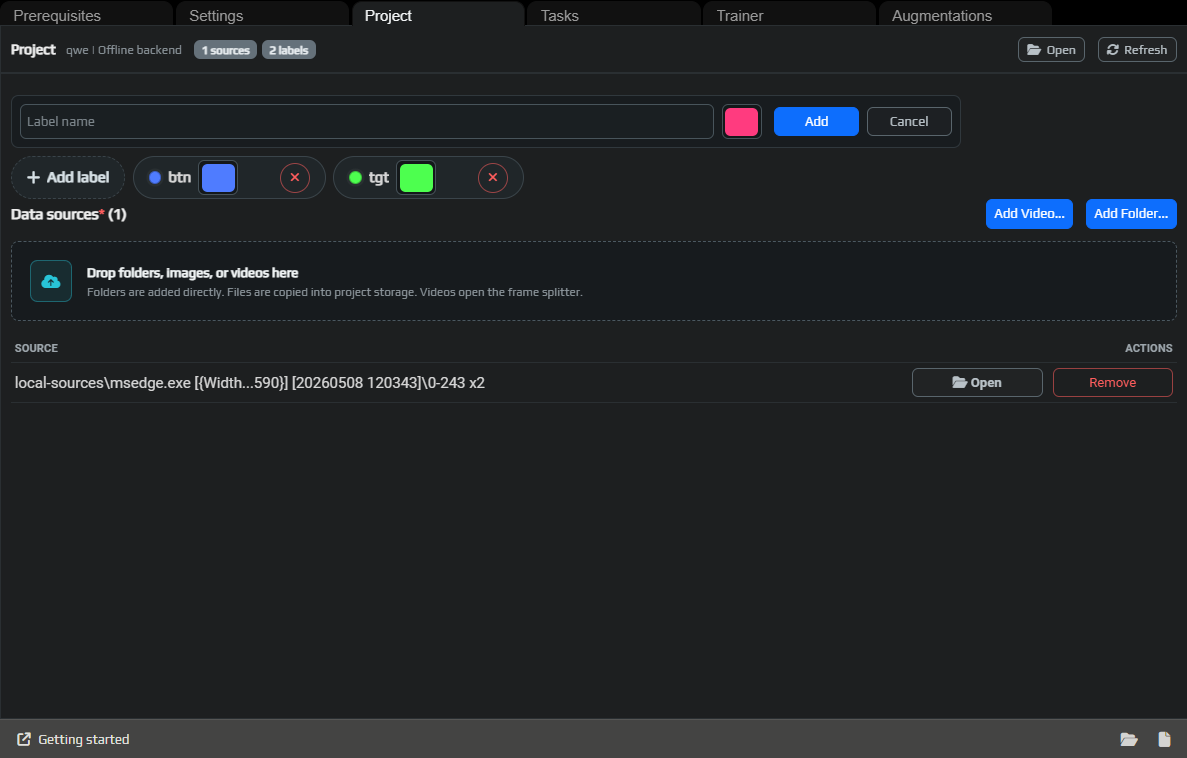
Data sources are the input images and videos YoloEase uses to build a dataset. The Project tab shows your sources, labels, and basic project statistics.
What you can add
Add Folder... adds a folder of images. The folder stays as an external source, and during sync YoloEase copies the required images into the project storage.
Add Video... opens the frame extraction window. You do not need to split the video beforehand with a separate script.
Drag and drop accepts folders, images, and videos. Folders are added as sources. Individual files are copied into the project storage, usually into local-sources.
Recording video through EyeAuras
For screen automation, the best data source is a video recorded directly from the same EyeAuras CV trigger that will later use the model. A CV trigger is a trigger that captures an image of a window or region and searches for visual objects inside it.
Open that trigger's preview and click Save Video.
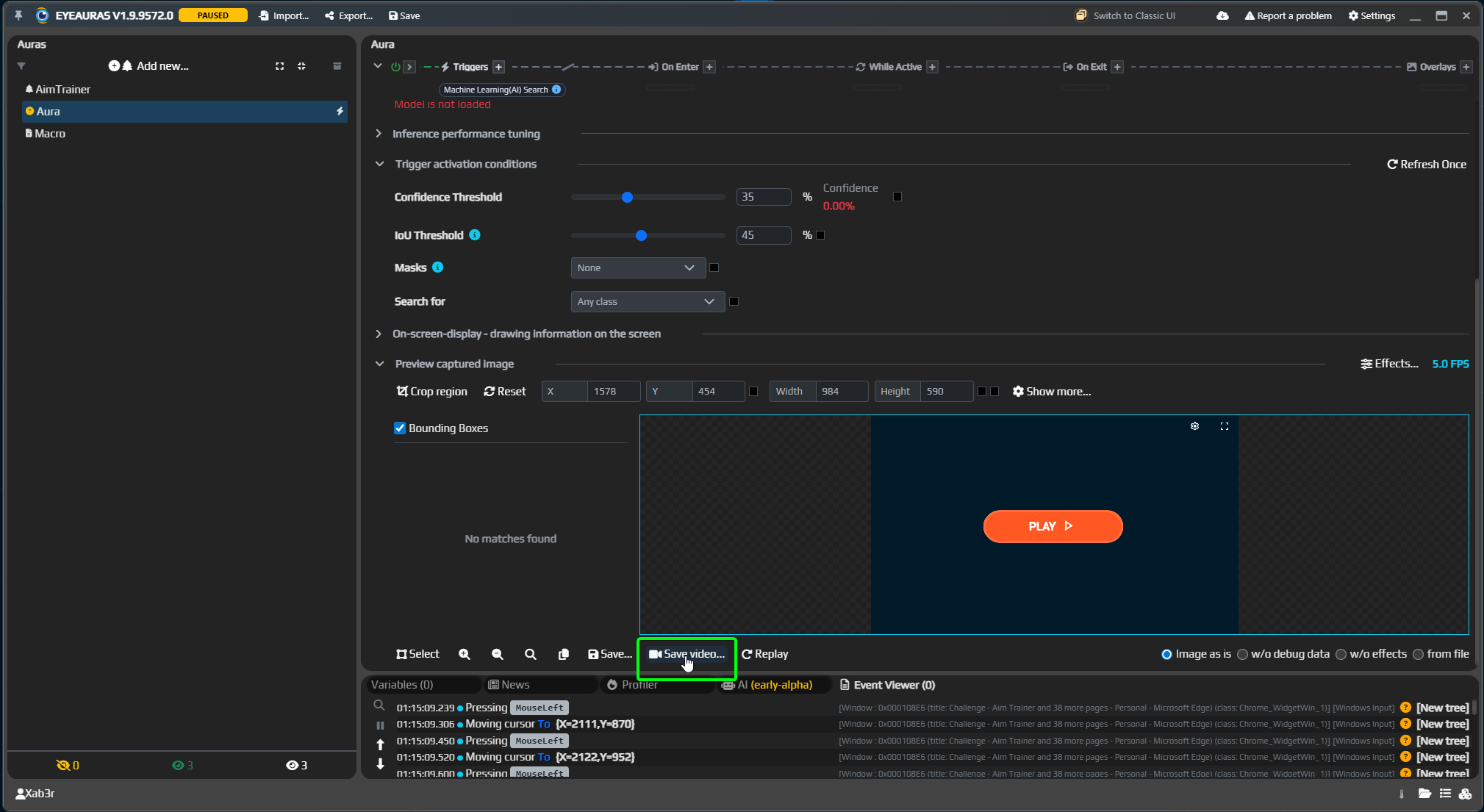
This gives you data that is very close to real working conditions: the same region, the same image size, the same frame stream, and the same transformations the model will see during recognition.
After recording, you will have a normal video file. Add it to YoloEase with Add Video..., then extract frames with Extract frames.
If you record the whole screen instead, you introduce extra differences: different scaling, window borders, compression, different region placement, the system cursor, overlays, or background around the area you actually need. For a person these are minor details, but for a model this is already different input, and quality can drop noticeably.
EyeAuras effects
In EyeAuras, you can apply effects to the image before recognition. This is useful not only while the scenario is running, but also when recording training video.
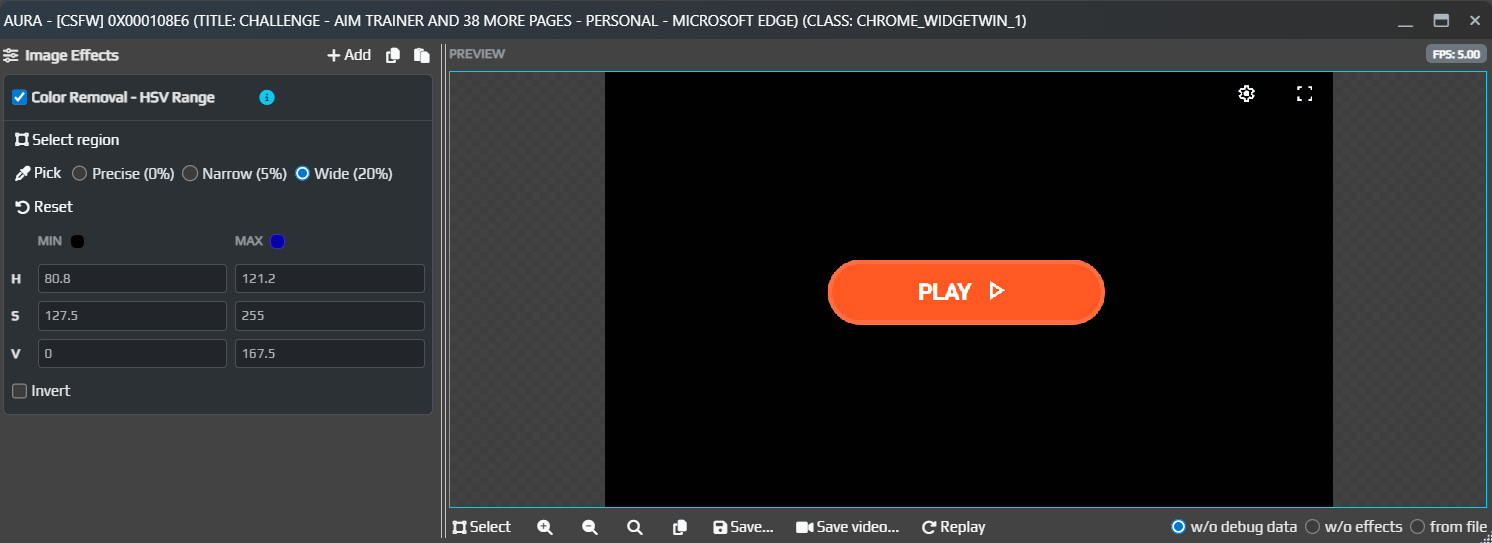
For example, effects can remove the background, replace colors, increase contrast, keep only the needed channel, or highlight objects that are hard to see in the original image. If you record video with those effects already applied, and then enable the same effects before ML Search, the model will be trained and used in the same visual space.
The main rule is simple: recording conditions and recognition conditions should match. If the model was trained on frames with an effect applied, use the same effect during recognition. If you want to compare different options, keep separate datasets or separate projects.
Why YoloEase copies files
The original folder or video is external input. The project needs a stable local copy of frames so training does not break if you rename the source folder or delete the video.
A good way to think about the project structure:
.yeprojis the project entry point;- the project folder next to it is the working folder with files, tasks, annotations, datasets, and models;
assets/trainingcontains training images owned by the project;local-sourcescontains locally imported files and frames extracted from video.
If you move a project, move both the .yeproj file and the neighboring project folder together.
Missing sources
If a source disappears from disk, YoloEase marks it as missing and skips it until it is restored. This is normal: an external drive may be disconnected, a folder may have been renamed, or sync may simply not be updated yet.
What to do:
- Put the folder back if you still need it.
- Or remove the source with
Remove. - Click
RefreshinTrainerto recalculate the project state.
Practical tips
Add less data, but make it more diverse. For the first training run, 50 good frames from different situations are better than 500 almost identical ones.
Keep labels simple. If a target and a button require different behavior in EyeAuras, use different labels, for example tgt and btn.
Do not add frames where you would not be ready to explain to the model what matters. Anything ambiguous will later turn into prediction errors.
Add negative frames too: menus, pauses, an empty screen, similar colors without the actual target. Finish them as normal tasks, just without unnecessary boxes.
See also: video frame extraction, annotation editor, Trainer, diagnostics.