1.9.9420
April - Codex, Gateway and export follow-up
1.9.9420 RU/EN
Export improvements
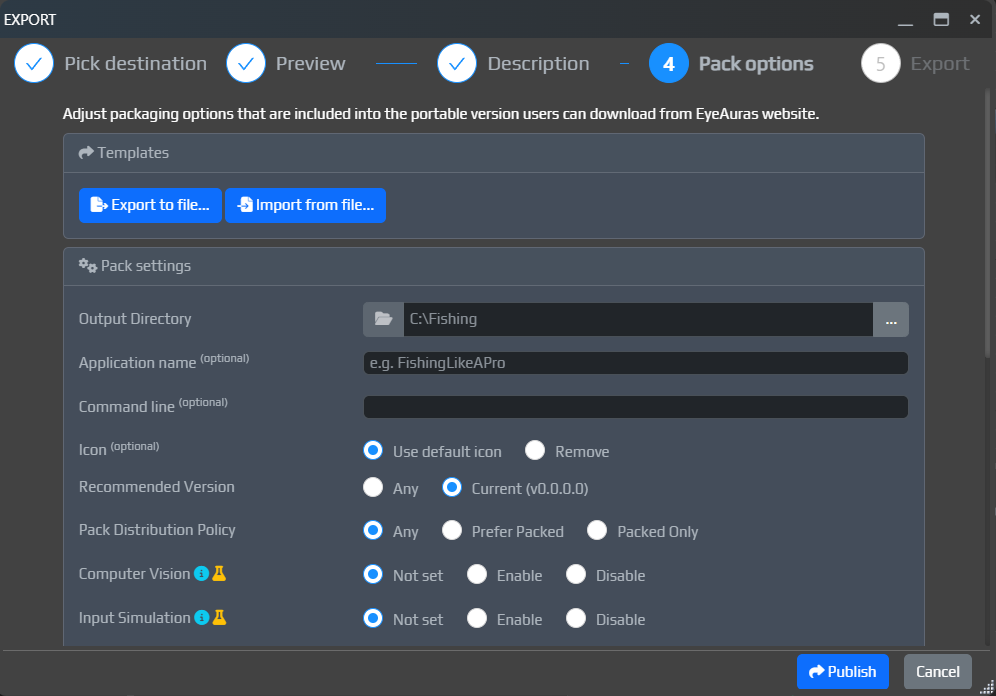
The Export window has been improved. You can now set packing parameters directly there, and also specify the pack name and description.
This still is not the final version of the flow. The goal for the next two months is to bring it to a point where you can assemble a working mini-app in 10-15 minutes, have AI write it for you, upload it in one action, and immediately share it with anyone interested.
Right now we are roughly 70-80% of the way there, especially after the latest fixes.
Update window and changelog improvements
The in-app update window has also been improved.
It is now easier to navigate the changelog:
- you can switch between
RUandENpatch notes directly inside the update window - changelog links were fixed and should now open the corresponding wiki pages in your browser
- image rendering inside patch notes was improved


AI - Gateway
Free limits were added to EyeAuras AI Gateway.
This was done so everyone can have AI available right away, without needing to register an OpenAI account, add budget there, or pay for a subscription. This is especially important for users in Russia, where direct access to OpenAI is still blocked.
For most users, AI will probably be more of a reference tool: quickly look something up, ask a one-off question, understand a topic, and move on. I hope the free limits will cover exactly that kind of use. For full-scale coding and serious scripting, they most likely will not be enough.
Important: AI is expensive. I reserve the right to keep adjusting these limits, their availability, and the general usage rules as the feature starts seeing real load. The program is free, and I still want at least some AI access to be available to absolutely everyone, so we need to find a balance.
AI - EyeAuras Gateway
In simple terms, EyeAuras Gateway is a special server address that you can put into the AI profile in the OpenAI Endpoint field, next to API Key and the other settings.
From the user's point of view, it is almost the same as a regular OpenAI profile, except that instead of the standard endpoint you use EyeAuras Gateway.
This is mainly useful for people who do not want to create their own OpenAI key, or who live in Russia. If you already have normal access to OpenAI, direct OpenAI is usually still the simpler option.
EyeAuras Gateway now supports two modes.
Gateway
This is the main mode. You use AI as an EyeAuras user.
In this mode, you do not need your own OpenAI account. This is how the free limits work: the OpenAI costs are covered on the EyeAuras side, and you simply use AI inside the program.
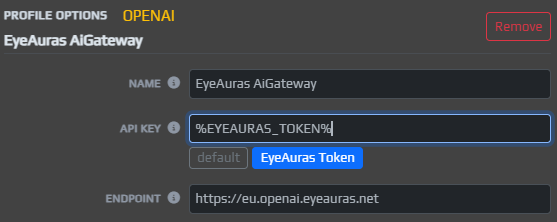
Proxy
This is the fallback mode. In it, Gateway does not pay for anything on your behalf and simply forwards requests to OpenAI servers using your own key.
This is only needed for users in Russia.
In short:
Gateway- you want to use AI without your ownOpenAIaccountProxy- you already have your own key, but need a convenient path toOpenAI
Important: in Proxy mode, your personal OpenAI key passes through EyeAuras servers. Technically, I tried to make this as safe as possible and avoid storing or logging anything unnecessary, but it is important to understand how the setup works.
AI - Codex
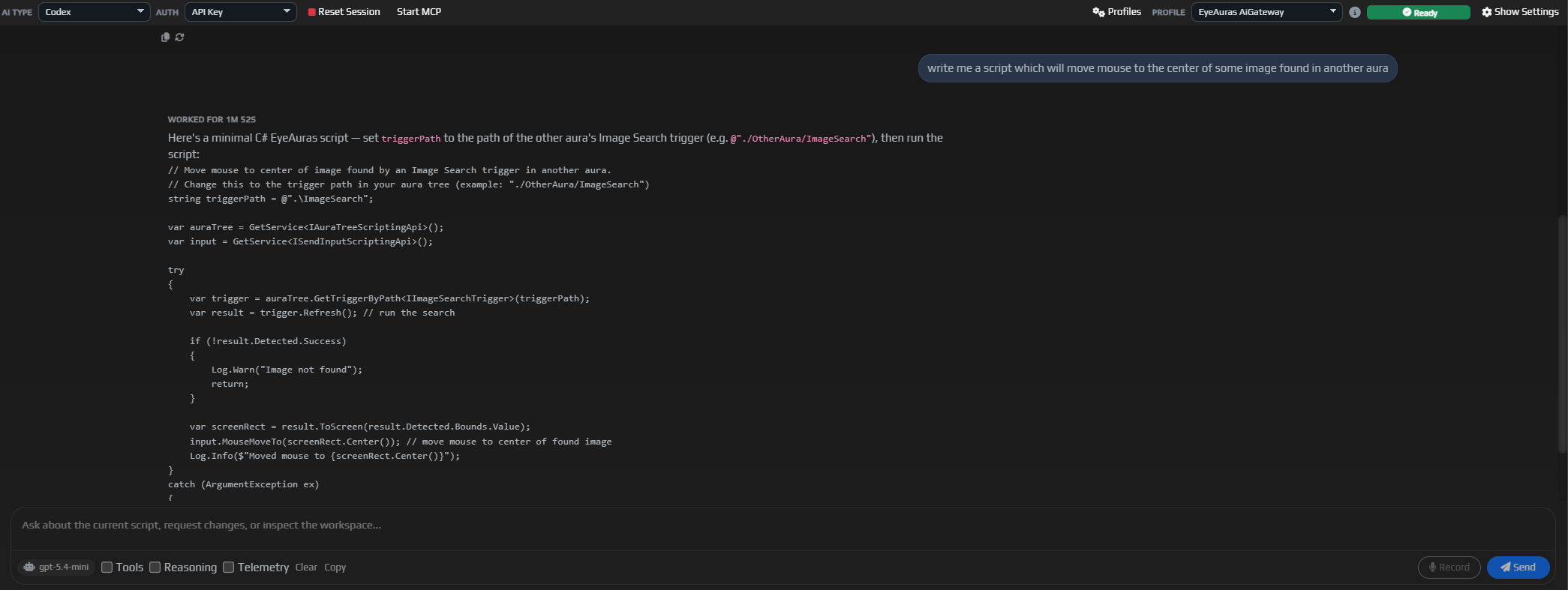
Support for Codex was added. In my opinion, it is one of the strongest AI assistants available today.
From the user side, the idea is roughly the same as with regular ChatGPT: you give it a task, and the assistant tries to solve it using every tool available. The key difference is that Codex tends to dig much deeper into the problem, re-check its conclusions more often, and usually produces stronger results on complex technical tasks.
Right now, Codex and Claude Code are driving a lot of practical AI programming forward, and now this kind of integration is available here as well.
For now, Codex is not running at full power yet: not all the wiring is connected. For example, I intentionally have not connected it to the scripting system yet, even though that is one of the main future use cases and one of the reasons it was added in the first place. Automatic behavior tree generation, writing scripts, self-diagnostics in the style of "why is this not working" - these are exactly the kinds of scenarios where Codex is especially strong. But first, we will spend about a week evaluating the integration quality itself, let it work as a reference tool for now, and then give it more freedom.
Where to use it
The main use case for Codex is complex work: programming, automatic configuration of auras, trees, macros, and similar systems.
Using it just as a reference tool is a bit like using a cannon to shoot sparrows. On top of that, this kind of usage may simply be more expensive, because Codex tends to double-check itself. That is great for quality on difficult tasks, but not very cost-effective for simple ones.
You can always switch between Codex and regular Chat mode, but conversation context is not shared between them.
p.s. The UI is still under active development. This is far from the final version.
Fixes and improvements
- [UI] Fixed a bug with the
StayOnTopbutton in the window title bar - [UI] Fixed an issue where
SubTreecould not be deleted in behavior trees