1.9.9545
Major update with new UI and AI improvements
Major update RU/EN
This update has two main focuses:
- the new Blazor interface and the gradual move away from the old WPF shell — build 9339, build 9406
- built-in AI Assistant, Discord Bot, and Codex Coding Assistant
One important user-facing AI change: free limits are now available, so you can try Assistant without manually setting up an OpenAI account. This matters especially for users in Russia: OpenAI currently blocks direct access for them, and EyeAuras Gateway solves that problem. If you want full control, you can provide your own OpenAI API key or compatible endpoint; in that mode, EyeAuras connects directly and does not use Gateway.
Other major areas in this update:
- almost all Free version restrictions have been removed; the only notable exception for now is the Network Message trigger/action. This is a leftover from the old model, and I plan to remove it in one of the next major updates
- fully redesigned pack licenses and sublicenses for pack and mini-app authors — you can now build almost any licensing model you need from the available options, for example by tracking session count or binding access to a computer
- EyePad as a separate workflow for code,
.csx,.sln, Live Import, and external IDEs - stronger C# scripting: Embedded Resources, NuGet, Memory API, Script Properties, and IDE integration
- improvements to Export / Import, pack publishing, and mini-app distribution workflows
If you're new to EyeAuras: a pack is a collection of auras/scripts, and a mini-app is a ready-to-use solution built on top of EyeAuras.
New interface and UX
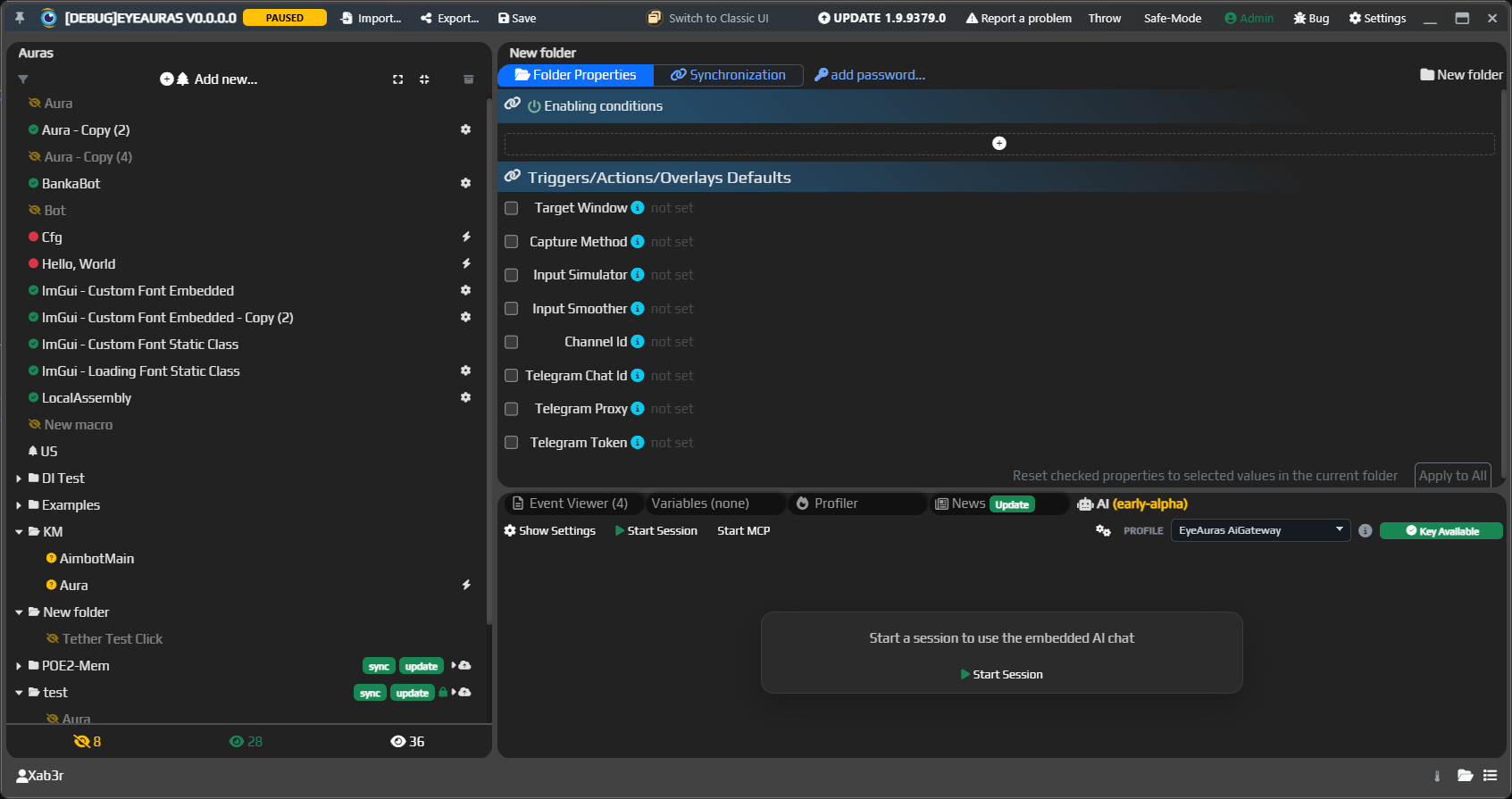
The goal of this update was to bring the new and old interfaces to feature parity. Future development will continue in the new UI. The old one will be disabled in one of the next updates.
AI integration
The second main focus of this update is AI. It is now split into two usage scenarios:
- AI Assistant — a smart reference and lightweight editing mode for settings, documentation, and small examples
- Codex Coding Assistant — a much more powerful tool that can effectively write the program FOR you
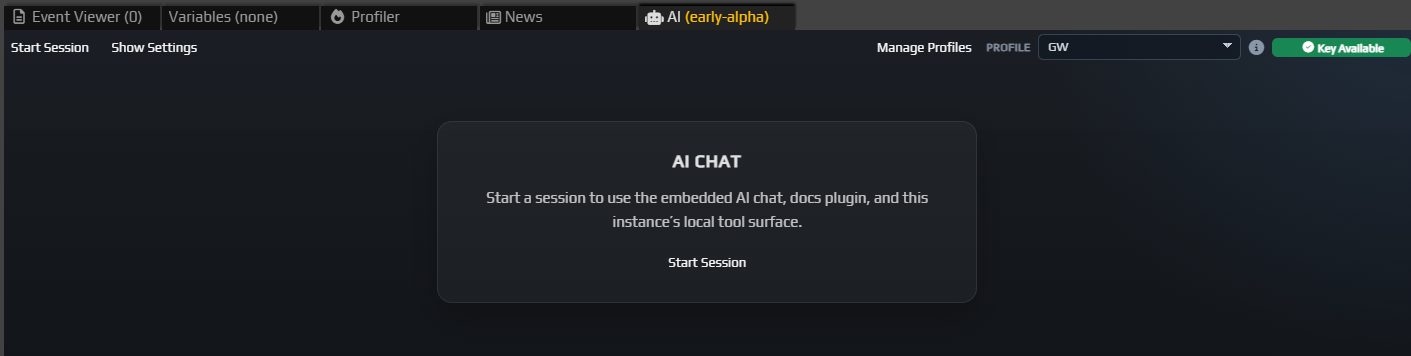
Tokens, API keys, free limits, and Gateway
EyeAuras integrates with OpenAI and OpenAI-compatible APIs: you can provide your own OpenAI API key or compatible endpoint, and requests will go there directly.
OpenAI does not provide free limits for this kind of third-party integration, but I still wanted users to be able to try the new functionality without extra setup. So EyeAuras handles this through EyeAuras Gateway — essentially a proxy server in front of OpenAI. Thanks to Gateway, free limits are available for both Assistant and Codex: you can get started without a separate OpenAI account, keys, or endpoints. That should be enough for occasional AI help.
Gateway also solves the access restriction problem for users in Russia: OpenAI currently blocks direct usage there, while EyeAuras Gateway allows AI features to work without separate routing workarounds. If you specify your own API key or endpoint, Gateway is not used. In the near future, there will also be a way to top up your EyeAuras balance so that users in Russia can use AI even then.
AI Assistant as a smart reference
AI Assistant is a smart EyeAuras reference and a lightweight mode for simple changes: which trigger to use, why an action did not fire, where the right wiki section is, what a minimal C# script looks like, or what needs to be fixed in your current setup.
At the same time, EyeAuras Bot is now available in Discord. It provides the same fast help format, but outside the app: the bot knows the wiki, changelog, and scripting best practices.
The wiki is now available in both Russian and English. This matters both for users and for AI: the better the documentation, the more accurate Assistant, Discord Bot, Codex, and external coding agents become.
Codex Coding Assistant and which one to choose
Codex Coding Assistant is the stronger mode for tasks where a simple answer or a small edit is not enough. It works alongside EyePad and external IDEs: it can see workspace files and folders, keep task context, make a plan, apply edits, account for editor diagnostics, and explain what changed.
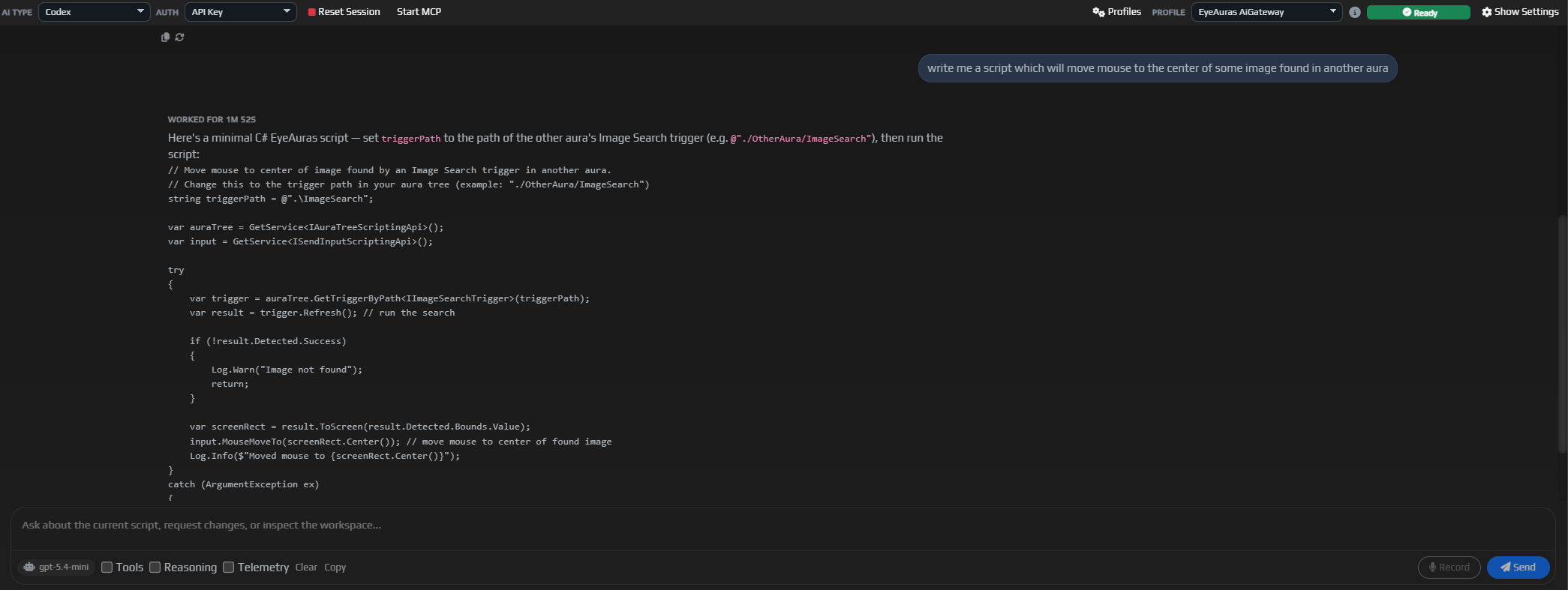
Typical Codex use cases: writing or fixing a C# script, understanding Behavior Trees, building a pack, preparing a mini-app, using Live Import, connecting the Memory API, or explaining an error directly in the context of your current project.
Codex is the future main AI mode in EyeAuras for tasks where it needs to see the whole project.
In short: Assistant is cheaper and faster for reference, ideas, or a simple edit. Codex is smarter and better for tasks like “help me do this in my project.”
Monetization
The old Free version restrictions have been almost completely removed: limits on aura count, script size, integrations, and core features should no longer be held back by the old Free/Pro model.
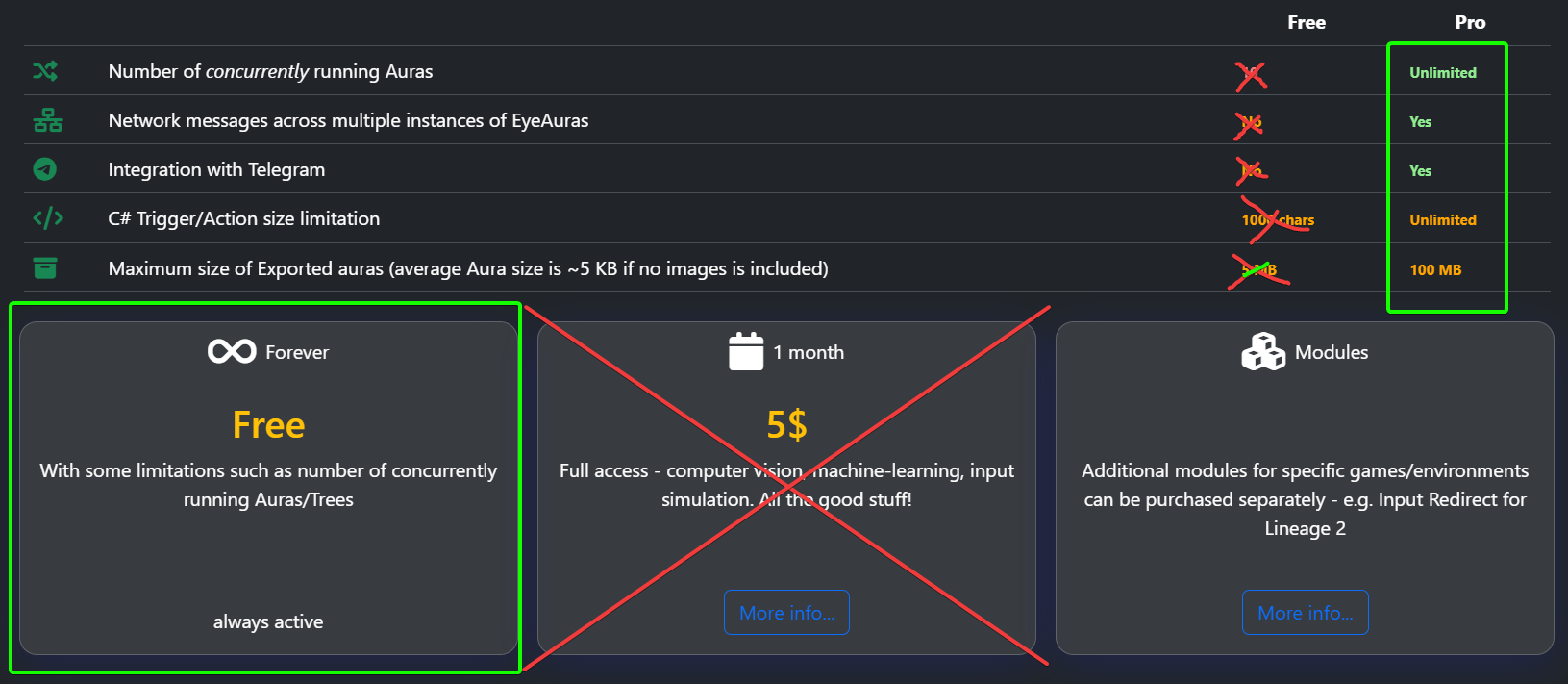
The only notable exception for now is around network messages: using the Network Message trigger and Send Network Message action still requires a license. This is a technical leftover from the old model, and I plan to remove it in one of the next major updates.
Overall, EyeAuras is moving toward a free core application. Monetization should shift away from restrictions inside the app itself and toward finished products built on top of it: packs, mini-apps, and author-made solutions.
Sublicenses for pack and mini-app authors
Sublicenses are no longer about restricting EyeAuras as a platform. They are about how authors can distribute their own solutions.
If you build a pack, a mini-app, or private automation for a team or client, you can now assemble a more suitable access model from the available options. For example:
- a personal license for one computer
- a license for multiple concurrent sessions
- separate access for a team or client
- limited demo/trial access before purchase
- different access levels for the basic and advanced versions of a pack
The idea is simple: EyeAuras stays as open as possible as a platform, while authors can cleanly monetize what they build on top of it.
C# Scripting
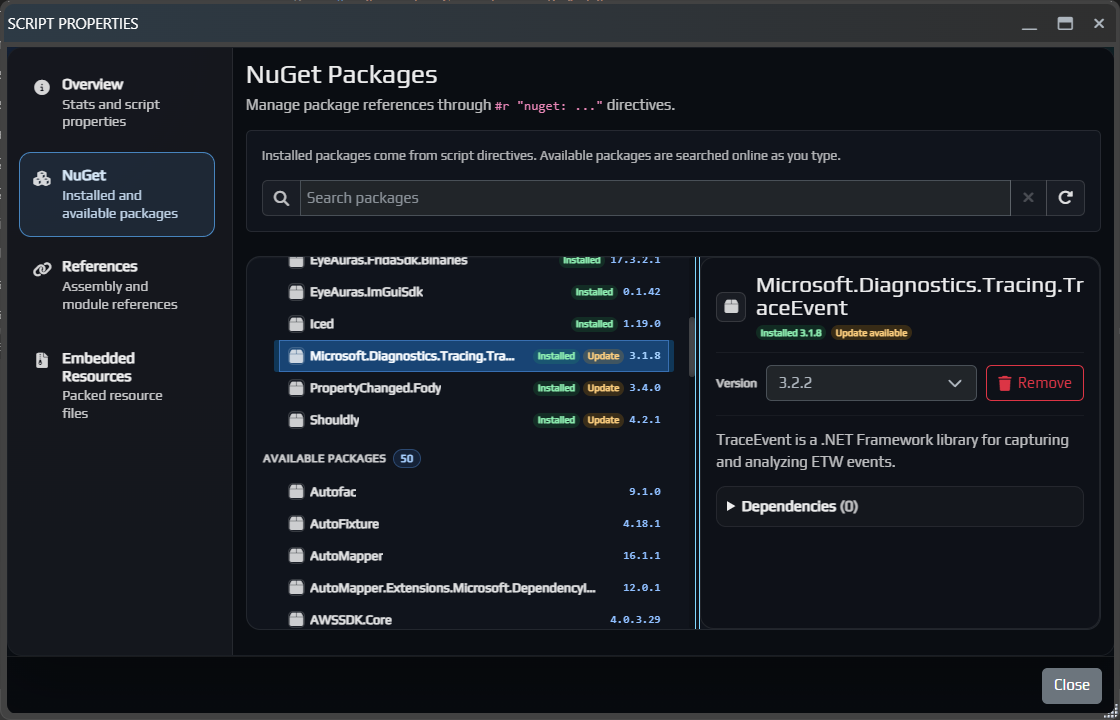
Major changes:
- added Embedded Resources for files, images, DLL/EXE files, and other resources inside a script
- improved variables and Script FileProvider / references
- added the Open in IDE button for Rider, Visual Studio, and other IDEs
- improved Live Import
- added ScriptContainerExtensions for DI and modular script architecture
- expanded the Blazor API, including custom UI widget registration through
RegisterViewType(...) - added
Script Properties, NuGet management, and References and Embedded Resources
Memory API
The Memory API now has its own documentation section. It is a way to read state directly from a process. Its main use case is C# scripts, but you can also pass read values through variables.
For example, you can read coordinates, HP, the current target, object lists, and more.
What this gives you in practice compared to using WinAPI directly:
- the same script can be attached to different memory sources: a normal process, MemProcFS / LeechCore, your own driver, a dedicated device, or an external bridge such as DLL inject. In other words, you can start with something basic like
LocalProcess, then change a single line and use the exact same code with a DMA device, driver, or your own ultra-secret reading method - if you already have your own reading method, you can integrate it through a custom process or custom memory backend, while keeping the same API and all the surrounding functionality
- when you need to execute code inside the target process, there are code caves, allocation/protection/free memory, DLL inject, APC, remote thread, and manual mapping — basically everything needed for comfortable work
- EA ReProcess pack is an open-source example of how to build a full RE tool on top of Memory API using ImGui; the ReProcess API documentation describes its workspace, tabs, actions, address inspectors, and findings storage
ReToolsPlugincan be plugged directly into your own Memory API scripts to give an AI agent reverse-engineering tools for the selected process: read memory, search data, disassemble, inspect RTTI, save findings, and continue from discovered facts
EyePad
EyePad continues to evolve into a separate working mode for users who write code, run scripts, import packs, and work with .sln.
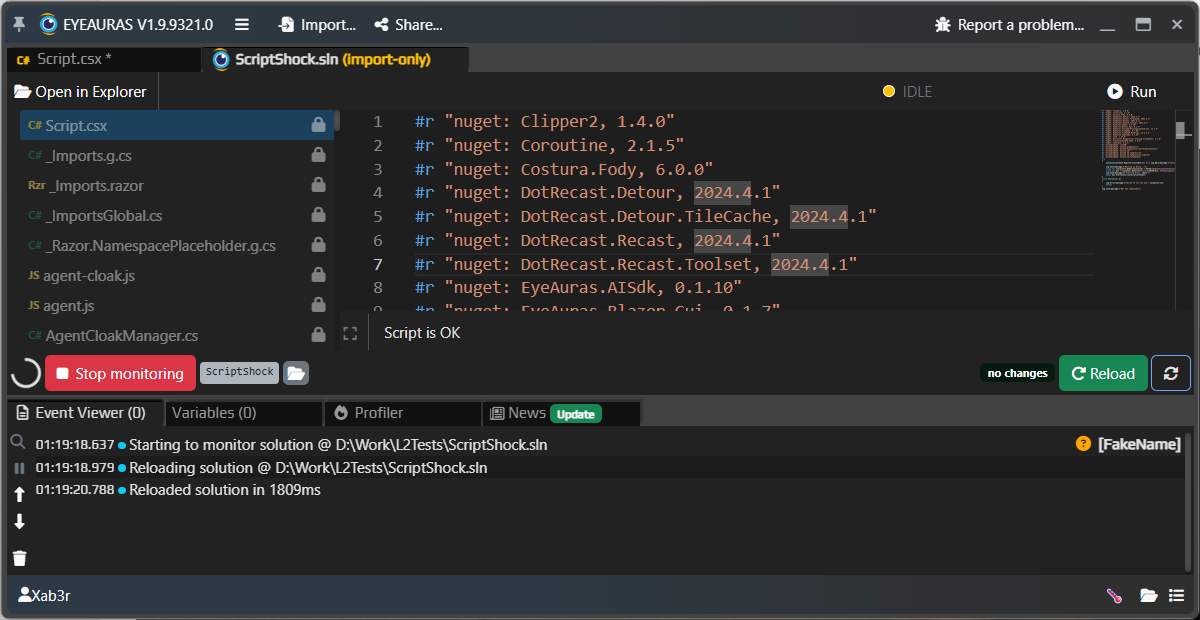
The important shift here is that EyePad is now closer to a real work environment, not just an embedded editor. You can open individual .csx and text files, work with .sln, run Live Import, import a pack, and gradually turn an experiment into a proper project.
File handling reliability has also been improved. Drafts, saved files, external file changes on disk, and recovery after restart should now behave more predictably. This is especially important for AI scenarios: if Codex or an external agent works with a project, it needs real file context, not “magic” text living only in editor memory.
This is still not the final Explorer/workspace model, but the direction is already clear: EyePad should become a proper shell for the workflow of “write code, run it immediately, then turn it into a pack or mini-app.”
Export, Import, and mini-apps
Export / Import has been noticeably improved both visually and functionally.
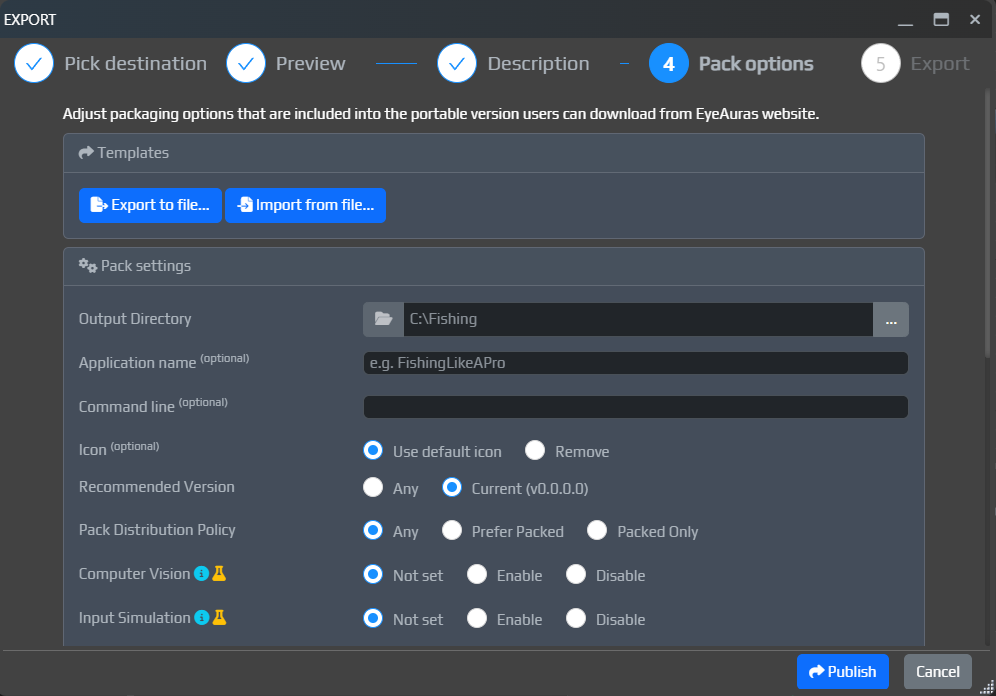
What changed:
- the
Exportwindow now lets you set pack parameters, name, and description - packaging of compiled scripts and dependencies has been improved
The goal is still the same: to bring the workflow to a point where a working mini-app can be built as quickly as possible, literally in a couple of clicks. We are already 90% there.
Image Search, Preview, and Computer Vision
Image Search now includes a built-in template editor.
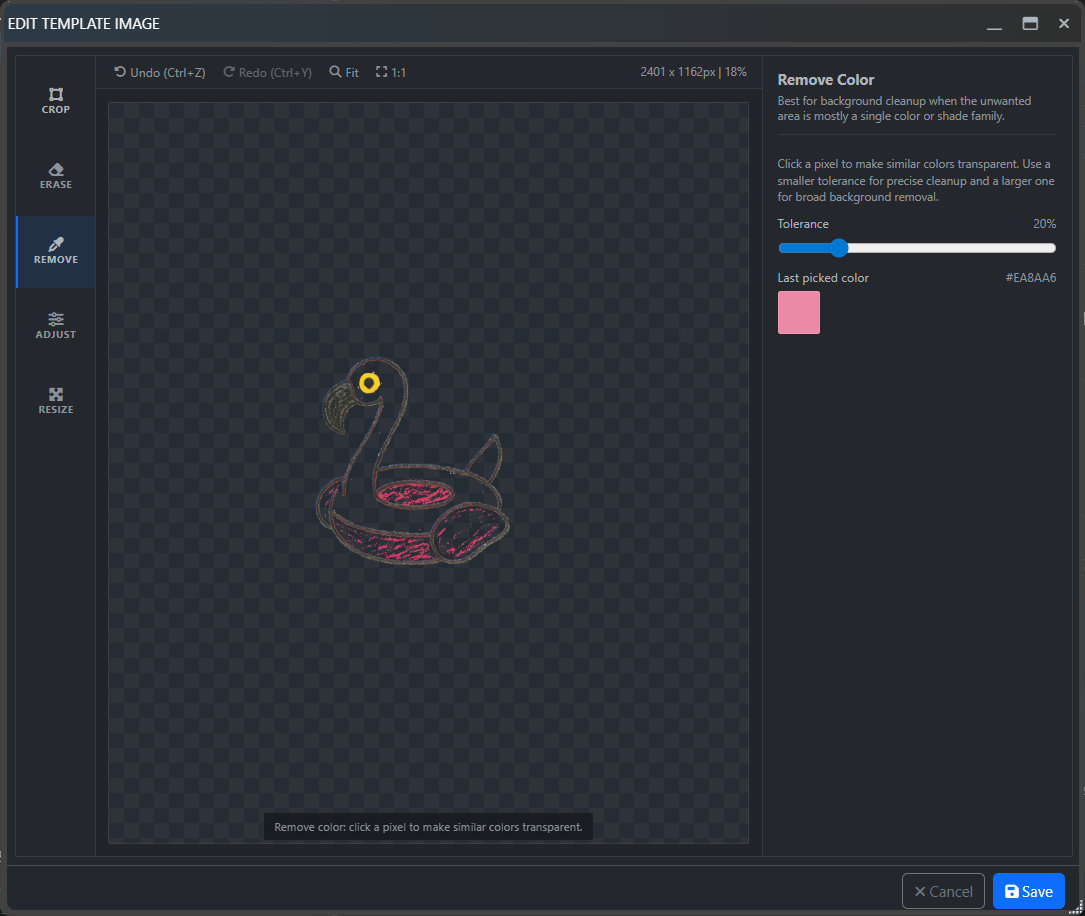
You can now do all of this directly inside the trigger:
- crop the image
- erase pixels
- remove a color
- resize the template
Image preview rendering in the new UI has also been improved, template rendering issues have been fixed, and the missing SDK availability of IComputerVisionExperimentalScriptingApi has been added.
Fixes and improvements
Below is a combined list of Bugfixes / Improvements items from all changelogs included in this large update. The list is sorted by importance: crash/freeze first, then Licensing/Auth, UI, Scripting, and the remaining groups.
Crash / Freeze
- [Crash] Fixed an issue where the license window could crash on startup
- [Freeze] Fixed an issue where the BT editor could freeze when switching between auras and BT in some scenarios
- [SendInput] Fixed a rare deadlock in
SendInputControllerthat could appear inCtrl+Vscenarios - [Share] Fixed a rare
SharePreviewcrash - [AI] Fixed a crash in
AiChatSessionrelated toSetInputSink
Licensing / Auth
- [UI] Fixed a bug where authors can once again download their own packages regardless of the configured download policy
- [Licensing] Added signed metadata and explicit limits for
sublicensein the internal licensing APIs - [Auth] Fixed a bug where a cached token could be treated as valid even though it already needed refresh, which caused unexpected logouts
UI
- [ImGui] There have been a lot of changes over the last 2 months. I recommend checking the current version —
EyeAuras.ImGuiSdk,0.1.42: markdown editor, animations, compound buttons, font integration, images, caching, and more. - [UI] Fixed an issue in
WindowListProvider: when a window title updated, EA could lose the window for 1 frame - [UI] Improved popover window rendering performance
- [Bindings] Fixed an issue where the
Bindingseditor might not open as a popup - [UI] Fixed an issue where deleting
SubTreein behavior trees did not work - [UI] Fixed an issue where the error list did not appear when clicking the icon
- [UI] Fixed panel resizing issues where the mouse could appear to “stick” while dragging
- [UI] Fixed jerks while dragging
Blazorwindows, where the window could suddenly jump sideways - [UI] Significantly improved resize and drag behavior for
BlazorWindow, so it should behave better under load - [UI] Fixed border clipping in
BlazorWindow - [UI] Fixed
IWindowSelector.FindWindow: a missing window should no longer throw an exception
Scripting
- [Scripting] Added the new Open in IDE button, which lets you edit a script in Rider/Visual Studio and see changes in EyeAuras in real time — [read more here...](/scripting/ide-integration)
- [Scripting] Embedded Resources fixes — made Script FileProvider more flexible so it now understands more path formats
- [Scripting] Improved script resource cleanup — even if user scripts leave behind dangling references, EyeAuras will try to clean them up once the script is no longer running
- [Scripting] Improved Blazor API — added
RegisterViewType(Type viewType, Type dataContextType, object key = default). This allows registering custom UI widgets. - [Scripting] Memory API — a huge number of performance and internal changes. At this point, Memory API can be considered stable and performant enough for almost any development scenario. Several inject mechanisms were also added (
CreateRemoteThread,APC, and others). Please note: inject and memory reading depend on the protection of the specific process; games and anti-cheat-protected applications may require separate approaches, compatible access methods, or additional setup. - [Scripting] Fixed an issue where
ScriptContainerExtensionswas being registered repeatedly by BT nodes. Because of that, singleton objects stopped being... singleton objects. - [Scripting] NuGet — added
DefaultNuGetPackageBlacklist, which improves compatibility with oldernetstandard1.3andnetstandard2packages - [Scripting] Fixed an issue where
IComputerVisionExperimentalScriptingApiwas unavailable in the SDK - [Scripting] Reworked the script loading process — this should fix the error
Could not build the proper workspace state, please report this error - [Scripting] NuGet — improved package resolution and added more detailed TFM filtering
- [Scripting] Fixed a virtualization issue where some script files could appear in the list twice
- [Scripting] Improved
Embedded ResourcesandStaticWebAssetssupport in NuGet packages — especially useful for UI components and packages that bring their own web resources
AI, Codex, and Discord Bot
- [AI] Two AI profiles are now created by default:
OpenAIandEyeAuras Gateway(a proxy for OpenAI) - [Discord Bot] Message edits and deletions now update the bot’s memory and history more accurately, reducing stale context
- [Discord Bot] Bot replies and service messages are now sent without accidental
@everyone, role, or user pings - [Discord Bot] Long markdown replies and code are now split into Discord messages more cleanly; artifacts can now be sent as files
- [AI] Improved
Responses API: added response streaming - [MCP] MCP in desktop AI is no longer hidden behind alpha access only
- [AI]
IEyeAurasAiGuidanceServicewas moved out so scripts can programmatically access a guidance pack — you can load a docs pack and feed it directly to AI from inside your script, giving AI more context about your pack/app
Behavior Trees
- [BehaviorTree] Fixed an issue with cyclic references that caused the UI to show connections that did not actually exist
- [BehaviorTree] Added a new node — SetVariable. It is still at a very early stage, but I decided to ship it early just to test it
- [BehaviorTree] Improved BT performance
Input / SendInput
- [SendInput] Fixed an issue with the TetherScript driver — on some resolutions/DPI settings, mouse clicks could also shift the cursor slightly (+-1px). Also, please make sure you are using a compatible driver version so everything works as expected — HVDK 2.1, with more details on this page
Image Search / Preview
- [Image Search] Added a new built-in template editor. It lets you crop images, erase pixels, remove a color, and resize directly inside the trigger. Read more...
- [Image Preview] Improved image rendering in the new UI — previews should now look sharper, without unnecessary smoothing
EyePad
- [EyePad] “Recent” is now sorted by date in descending order
- [EyePad] AI/Codex now has a better understanding of which files and folders you are currently working with
Export / Import / Packing
- [Packing] Improved compiled script packaging — dependencies from
NuGetandpackage referencesshould now make it into packed builds more reliably - [Export] Fixed an issue with aura pre-compilation during
Exportwhen Binaries Only mode is enabled - [Export] Fixed
.gitignorepreservation during project export
Web / Share / SEO
- [Web] Worked on SEO (search engine optimization) — your packs should now be detected faster by search engines and appear in results more often