Root
Root Node
This is the root of your tree. This is where everything begins. You cannot remove it, but you can change the settings that affect how and when the tree recalculation and actions are executed.
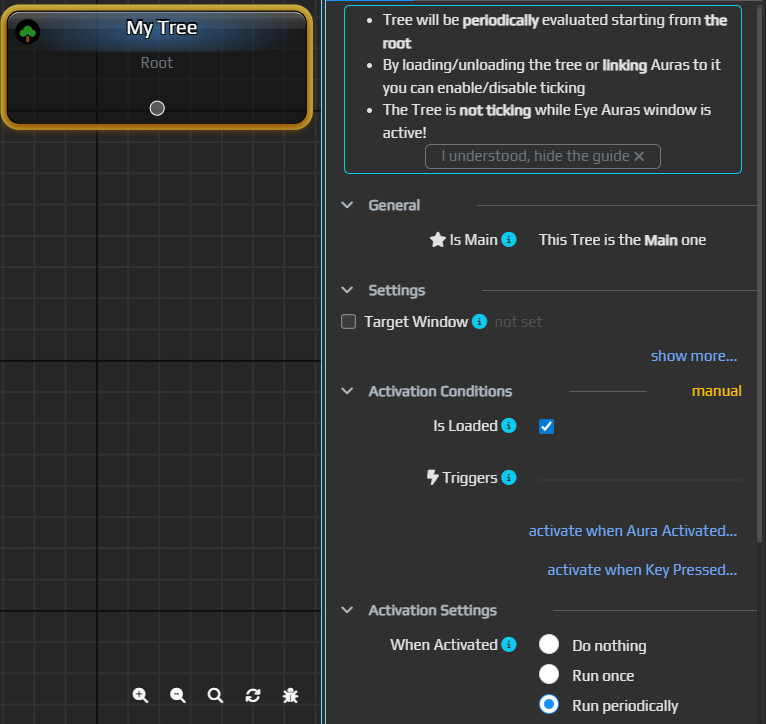
Is Loaded
Indicates whether the tree is loaded for execution, allowing you to conveniently enable or disable the entire tree without changing its logic. The logic of use is the same as with auras.
Tick Every
Here you can specify how often the tree should be recalculated. Usually, values around 50‑100 ms are more than enough, but the decision is up to you. In the foreseeable future another recalculation mode will appear – "on demand," which will analyze the tree itself and recalc exactly when one of the monitored conditions changes.
Is Active
Here you can set a condition under which the tree should function – whether it's a hotkey or window activation. The logic is exactly the same as in other parts of the program where there are links – you specify an aura and the program monitors its state.