Simple Web Server
Simple Web Server
You can spin-up and host your own local web-server which will be accessible by anyone and which could allow you to either peek into something that happens inside EA instance atm or control some options remotely.
Code for creating and booting up the server is quite large, but could be just copy-pasted around if needed.
Steps
There are multiple steps to make everything work
- you have to reference needed assemblies containing the actual web-server. This is done by using
assemblyNametype of references - add namespaces containing classes that you will use to boot up the server
- setup the server itself and, most importantly,
routeswhich control what exactly your server will be returning when some page is accessed - pick some free port, 52080 for HTTP and 52443 for HTTPS could be a good choice, but you can change them to whatever you want
Example
You can import the ready-made example from here: https://eu.eyeauras.net/share/S20250302232655ULHlLljgYANa
- Create an aura with a script
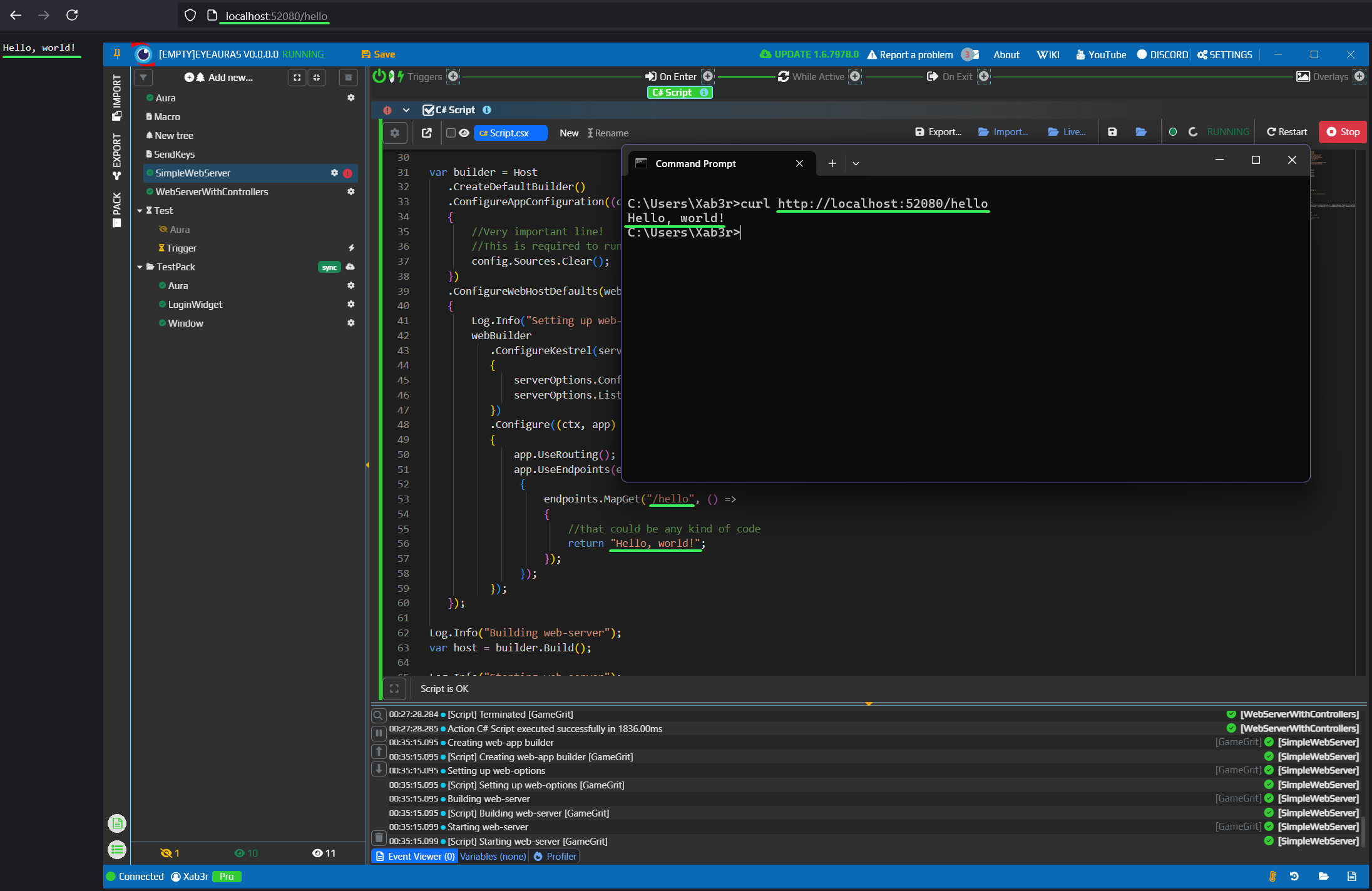
- Copy-paste, run it, there should be a line printed to console
Starting web-server- this tells us that everything went fine - Access the page via CURL or browser
Note that Chrome and Edge DO NOT allow you to access HTTP websites anymore by default. Setting up sefl-signed certificate and HTTPS is just an extra step and I'll leave it to you and ChatGPT (I've tested it and it nailed it on the first attempt).
How it could be used?
The most obvious examply is controlling what happens in EA remotely OR feeding some informationg gathered by EA, such us results of image searchers, text searcher, etc somewhere, maybe to another instance of EA polling that data... Or some other script.
Another example could be controlling your injection-based bot that way - considering this is a full-blown web-server, you can build any kind of transport on top of it.
Script.csx
#r "assemblyName: Microsoft.AspNetCore"
#r "assemblyName: Microsoft.AspNetCore.Hosting"
#r "assemblyName: Microsoft.Extensions.Hosting"
#r "assemblyName: Microsoft.AspNetCore.Routing"
#r "assemblyName: Microsoft.AspNetCore.Server.Kestrel.Core"
#r "assemblyName: Microsoft.AspNetCore.Http.Abstractions"
#r "assemblyName: Microsoft.AspNetCore.Hosting.Abstractions"
#r "assemblyName: Microsoft.AspNetCore.Server.Kestrel"
#r "assemblyName: Microsoft.AspNetCore.Mvc.Core"
#r "assemblyName: Microsoft.AspNetCore.Mvc"
#r "assemblyName: Microsoft.Extensions.Configuration.Abstractions"
#r "assemblyName: Microsoft.AspNetCore.Routing.Abstractions"

using Microsoft.AspNetCore.Builder;
using Microsoft.AspNetCore.Http;
using Microsoft.Extensions.Hosting;
using Microsoft.Extensions.DependencyInjection;
using Microsoft.AspNetCore.Hosting;
using Microsoft.AspNetCore.Server.Kestrel.Core;
using Microsoft.AspNetCore.Mvc;
using Microsoft.Extensions.DependencyInjection;
using Microsoft.AspNetCore.Mvc.ApplicationParts;
using Microsoft.AspNetCore.Routing;

using System;

const int PortNumber = 52080;

Log.Info("Creating web-app builder");

var builder = Host
   .CreateDefaultBuilder()
   .ConfigureAppConfiguration((context, config) =>
   {
       //Very important line!
       //This is required to run the server in EA infrastructure
       config.Sources.Clear();
   })
   .ConfigureWebHostDefaults(webBuilder =>
   {
       Log.Info("Setting up web-options");
       webBuilder
          .ConfigureKestrel(serverOptions =>
          {
              serverOptions.ConfigureEndpointDefaults(endpointOptions => { endpointOptions.Protocols = HttpProtocols.Http1; });
              serverOptions.ListenAnyIP(PortNumber, listenOptions => { listenOptions.Protocols = HttpProtocols.Http1AndHttp2; });
          })
          .Configure((ctx, app) =>
          {
              app.UseRouting();
              app.UseEndpoints(endpoints =>
               {
                   endpoints.MapGet("/hello", () =>
                   {
                       //that could be any kind of code
                       return "Hello, world!";
                   });
               });
          });
   });

Log.Info("Building web-server");
var host = builder.Build();

Log.Info("Starting web-server");
await host.RunAsync(cancellationToken);
Log.Info("Terminated");